I Open-Sourced a Tool: Connect Clawdbot to Feishu Bot in 10 Minutes
💡 Sharing a great article: Users in China can now deploy Clawdbot on Feishu (Lark)! Since Clawdbot doesn’t officially support Chinese communication platforms, this open-source bridge tool is a perfect solution. Below is the original content.

To solve the problem of Clawdbot not officially supporting Chinese communication platforms, I built a bridge tool that connects Feishu and Clawdbot. With this tool, you can control Clawdbot directly from Feishu. It’s very easy to use — here’s how:
1. Create a Feishu Bot
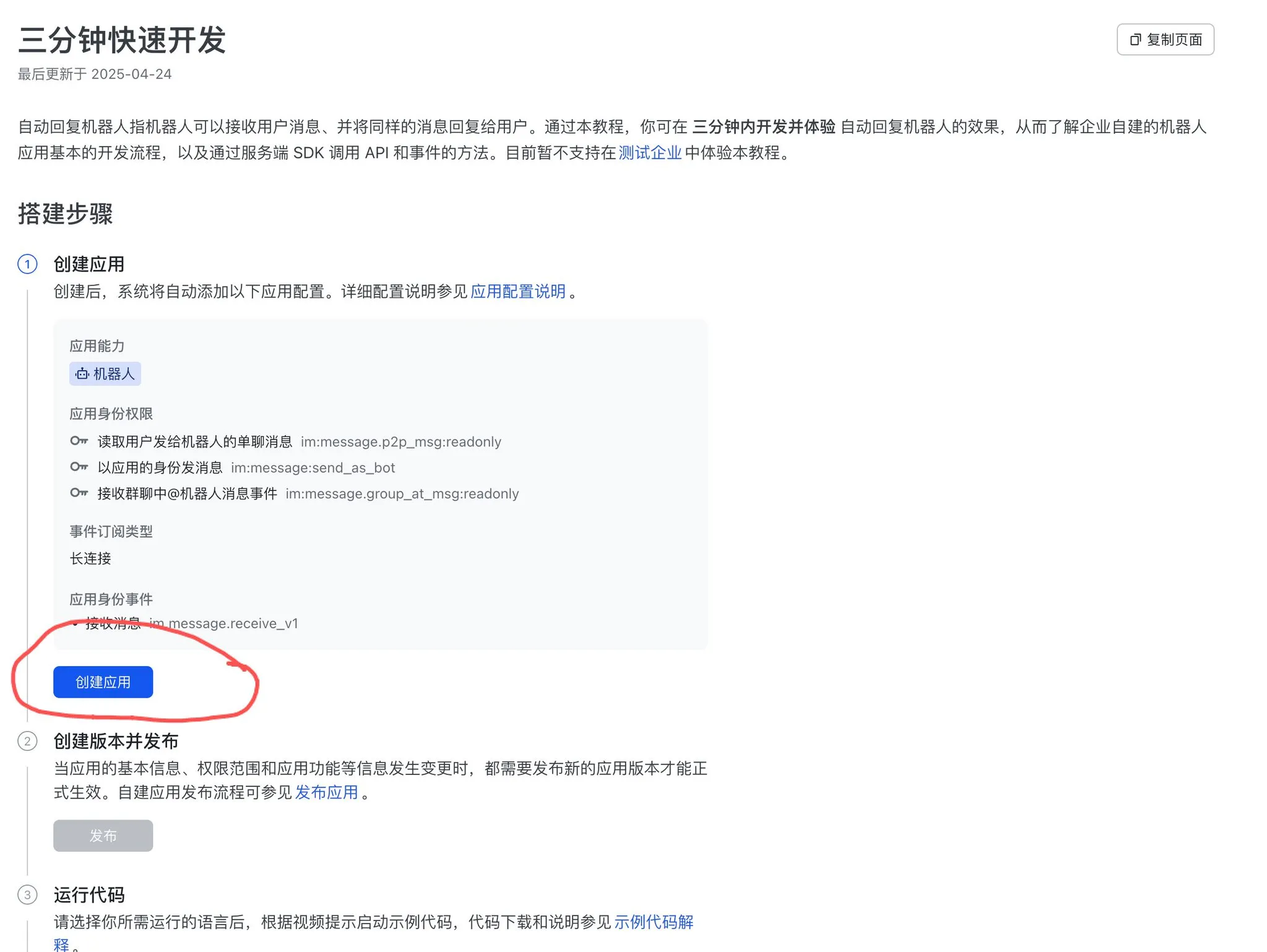
Go to the developer console and create a bot:
👉 https://open.feishu.cn/document/develop-an-echo-bot/introduction
Click “Create Application” and follow the guide to create a bot:
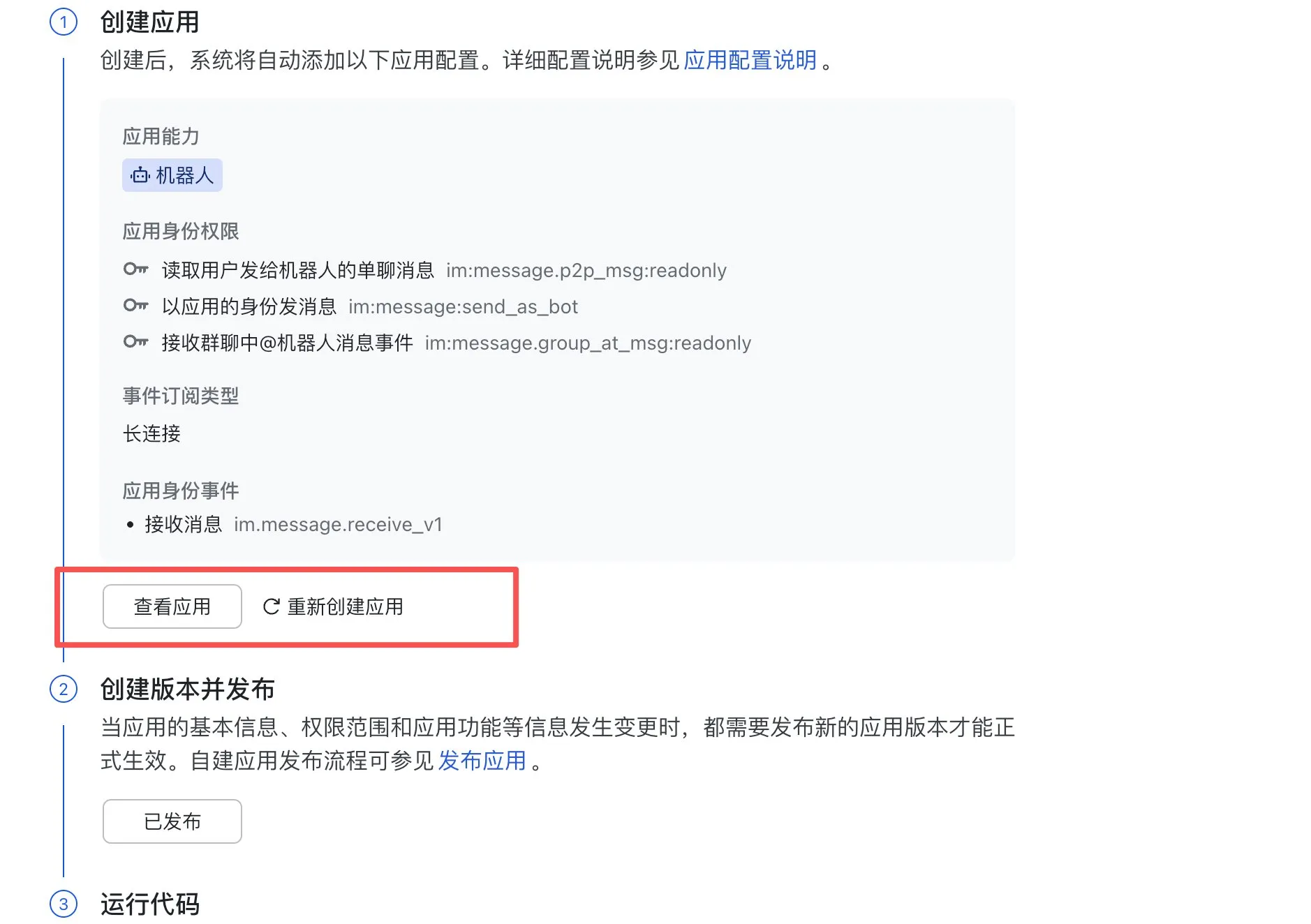
After creation, click “Publish”, then click “View Application”:
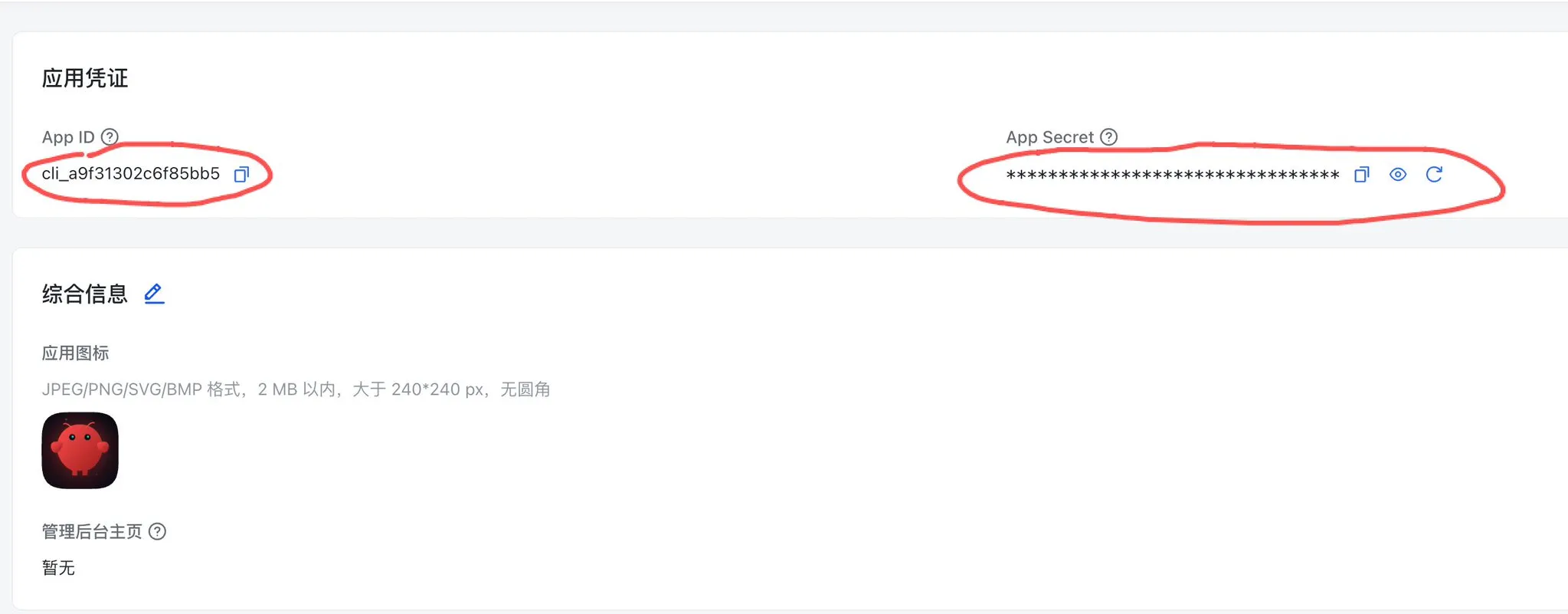
You’ll need the AppID and App Secret from the application page later:
2. Bridge Clawdbot and the Feishu Bot
Now it’s time to use the bridge tool I just open-sourced. The project is written in Go — just use the pre-compiled binary, no complex dev environment needed.
👉 https://github.com/wy51ai/moltbotCNAPP
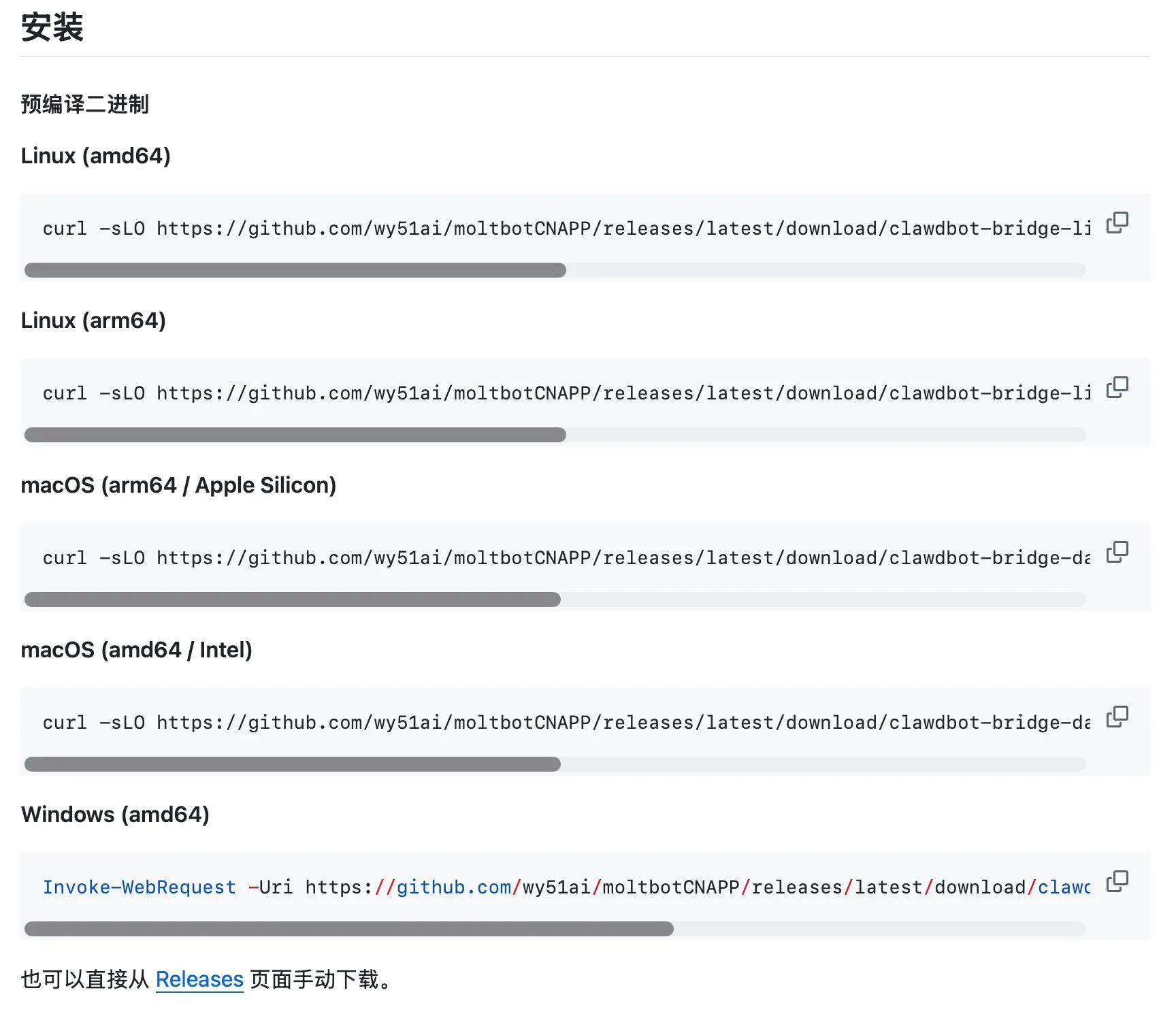
macOS / Linux users: If you have a global proxy, it’s recommended to download directly from the command line. If that fails, download from the Release page, rename the file to clawdbot-bridge, and run chmod +x clawdbot-bridge to grant execute permission.
Windows users: Download from the Release page and rename the file to clawdbot-bridge.exe.
Once downloaded, open a terminal in the directory where the clawdbot-bridge file is located:
macOS and Linux users, run:
./clawdbot-bridge start fs_app_id=cli_xxx fs_app_secret=yyy

When you see the “Started” message, it means the bridge is running successfully.
Windows users, run:
./clawdbot-bridge.exe start fs_app_id=cli_xxx fs_app_secret=yyy
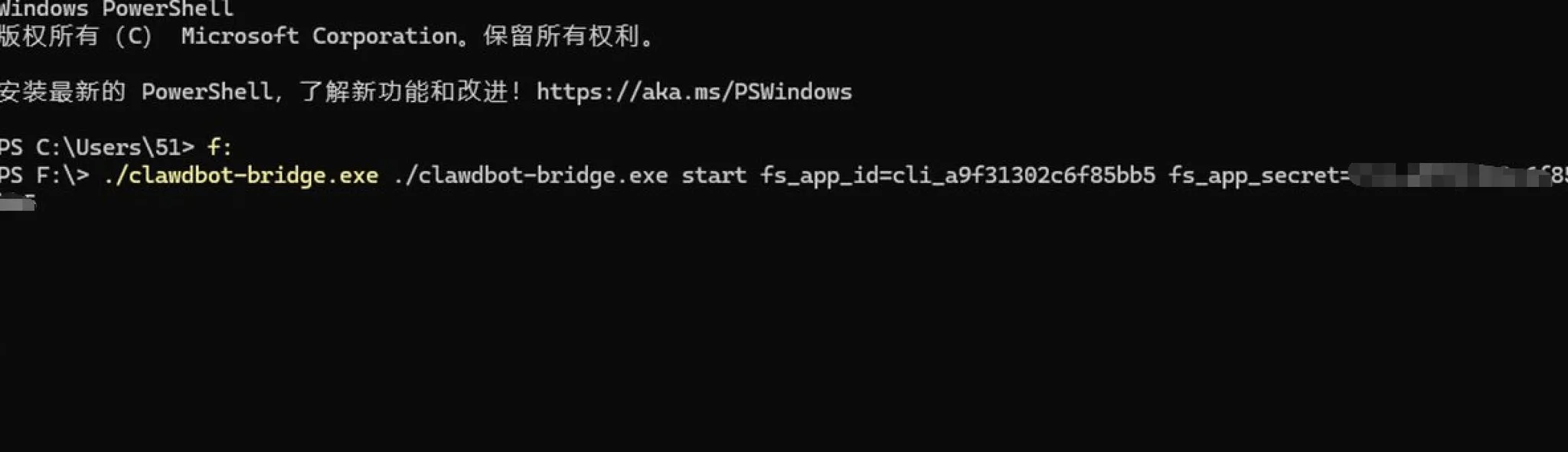
To stop, restart, or check status, use these commands:
./clawdbot-bridge start    # Start in background
./clawdbot-bridge stop     # Stop
./clawdbot-bridge restart  # Restart
./clawdbot-bridge status   # Check status
./clawdbot-bridge run      # Run in foreground (for debugging)
Once started, open Feishu, go to the Workbench, open the bot you just created, and try chatting with it!
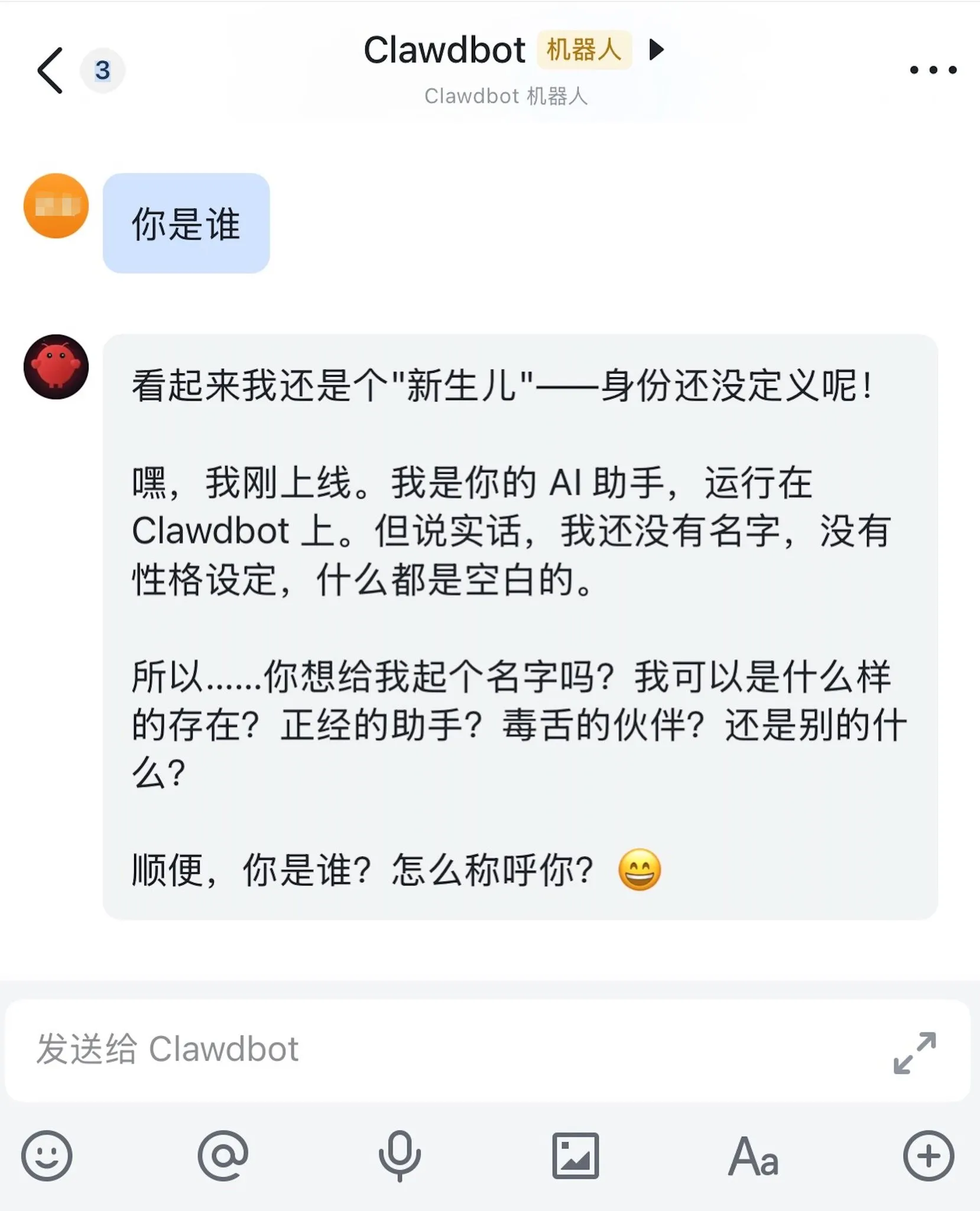
This article is reposted from X user @akokoi1 (WY): Original post
About the author: A developer from a second-tier city in China. Former Sohu employee. Works with Golang, PHP, JavaScript, Dart, and Swift. Years of international outsourcing experience. Full-stack engineer, indie developer, fully embracing AI.
If you found this helpful, consider buying me a coffee to support more content like this.
Buy me a coffee