My Ralph Loop Setup for Long Running AI Agents
About the Author
Dan (@d4m1n) is a serial entrepreneur based in Copenhagen, Denmark, who has shipped 9 startups that are all generating revenue. He is the founder of PageAI, which uses AI to generate entire websites in one shot (SEO, blog, etc.). Dan has over 30K followers on X, where he actively shares hands-on experience with AI coding tools and automation workflows.
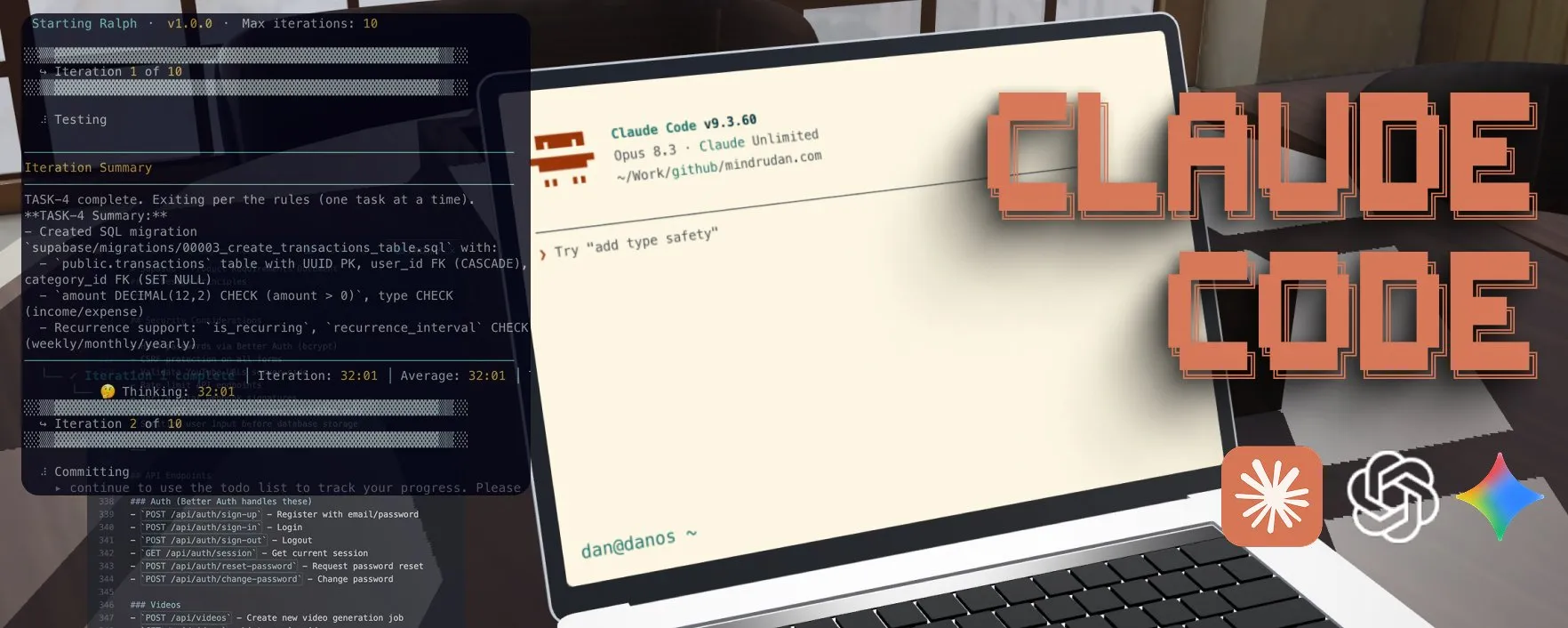
I used this workflow to ship four separate projects now. Longest run went 37 hours straight, completed 250 tasks from a 2,000-line requirements document. All while I was AFK.
This guide gets you from zero to a running Ralph Loop in under 10 minutes.
If video is your jam, 👉 here’s the full walkthrough.

What Happened?!
Everyone saved a bunch of Ralph Loop articles. Almost nobody actually set it up.
The concept is simple, but the gap between “cool idea” and “working workflow” is huge. You need the right prompts, the right task structure, the right validation criteria. Most people never got past the bookmark.
I spent weeks closing that gap. Iterating on prompts, restructuring tasks, tuning the validation loop. Everything I learned is packaged into a single install command. This guide walks you through it.
What You’ll Need
Two things:
- Docker — the loop runs in a sandboxed container
- Claude Code — Anthropic’s CLI for agentic coding
That’s it. Everything else is installed automatically.
You can swap Claude Code for Codex, Gemini CLI, Copilot CLI, Open Code or Kiro. See full list of supported agentic CLIs here.
1. Bootstrap Your Project
You don’t strictly need this step, but it saves tokens and gives you a better foundation.
Scaffold your project with whatever stack you prefer. For example:
npx @tanstack/cli create lib --add-ons shadcn,eslint,form,tanstack-query --no-git
Regardless of the setup, install Playwright and Vitest for testing. The Ralph Loop uses tests to verify its own work. Without them, the agent moves forward without actually checking if things work.
Prepare your API keys in a .env file. Database, payment provider, LLM keys (DO NOT COMMIT / add to .gitignore).
Whatever your project needs. Without these, the agent will skip verifying integrations and you’ll have nasty surprises later.
2. Install the Ralph Loop
One command:
npx @pageai/ralph-loop
This creates an .agent/ directory with everything the loop needs:
.agent/
├── PROMPT.md       # Main iteration instructions
├── SUMMARY.md      # Project summary for context
├── STEERING.md     # Steer the agent mid-run
├── tasks.json      # Task lookup table
├── tasks/          # Individual task specifications
├── prd/            # Product requirements documents
├── logs/           # Progress tracking
├── history/        # Iteration outputs
└── skills/         # Reusable agent capabilities
3. Create Your PRD
This usually is the most difficult part, but I got you.
The command installed a skill that takes care of all of this + converting to tasks that scale with the loop.
Open Claude Code and use the included prd-creator skill to generate a Product Requirements Document:
Use the prd-creator skill to help me create a PRD and task list for these requirements:

You are building an app that does X.
- It should support sign up via email and Google
- It should have a dashboard with a sidebar
- It should integrate with [some API] — see @docs/API_DOCS.md
- Use Next.js, TailwindCSS, shadcn/ui
// ... dump everything in your head
Write in your own words. Be specific about UI, flows, integrations, and tech choices. The skill expands your brain dump into a structured PRD, asks clarifying questions, then breaks it into tasks.
Looking for a complete example? 👉 Check the video
Don’t skip the review. Read each generated task. If the agent misunderstood something, fix it now. It’s much cheaper to correct a task spec than to revert 10 bad commits.
Three tips for better requirements:
- Point to exact docs. Save third-party documentation as markdown files in your project and reference them with
@docs/FILE.md. This prevents the agent from guessing. - Prepare API keys early. Write them into
.envbefore the loop starts so every integration gets tested for real. - If you’re unsure, say so. Add “Interview me about the payment integration” to your requirements. The agent will ask you the right questions.
4. Log In to Docker
The loop runs inside a Docker sandbox. Claude Code gets full permissions in there, but it can’t touch your host machine.
docker sandbox run claude .
Answer yes to bypass permissions mode. Exit. You only need to do this once to authenticate.
5. Run the Loop
Start small:
./ralph.sh -n 2
Watch what it does. Check the commits. If it looks good, scale up:
./ralph.sh -n 10
When you’re confident, let it run overnight:
./ralph.sh -n 30
That’s it. Ralph picks the highest priority task, implements it, runs tests, commits, and moves on. When all tasks pass, it stops.
Steer Mid-Run
While the loop runs, you can edit .agent/STEERING.md to redirect priorities. The agent reads this file at the start of each iteration.
Found a critical bug? Write it in STEERING.md and the agent will handle it before continuing with the task list.
Review the Output
Ralph leaves a trail:
.agent/logs/LOG.md— chronological log of completed work.agent/history/— full output from each iterationgit log— every completed task is a commit
If something went wrong, git revert the bad commit. The task’s tests will fail, and Ralph will re-attempt it on the next run.
Why The Loop Works
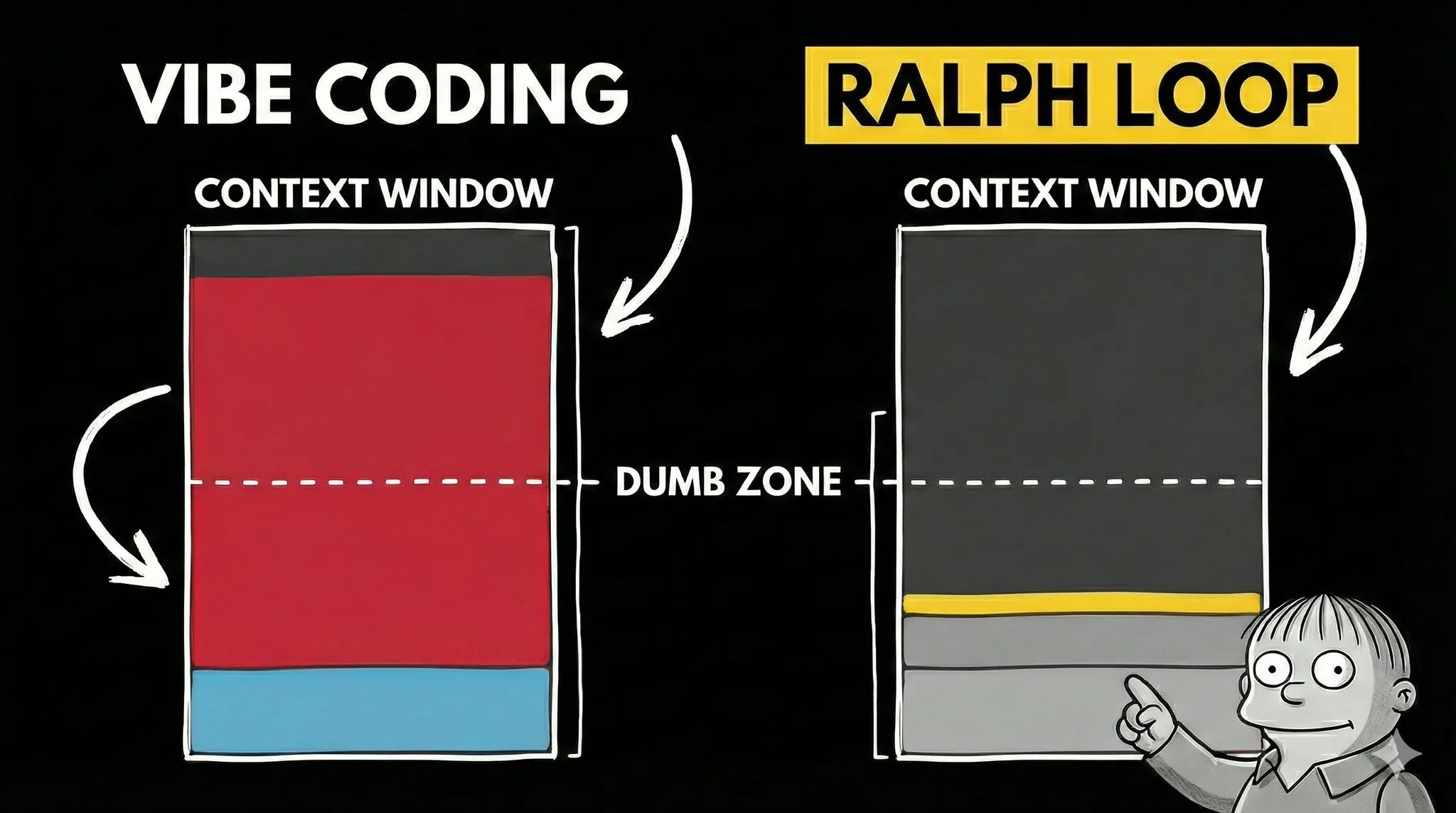
Most AI coding sessions die when the context window fills up. The model starts forgetting earlier instructions. Output quality drops. You’ve hit the “dumb zone.”
Ralph avoids this entirely. Each iteration starts with a fresh context. The AI reads a task list, picks the next task, implements it, verifies it, commits, and exits. The next iteration starts clean.
State lives in text files and git commits. Not in the context window.
This is how you scale AI coding from “help me write a function” to “build me an app.”
Where Ralph Shines

- Prototyping and MVPs. Idea to working app, fast
- Automated testing. Writing E2E and unit tests that would take you hours
- Migrations. Moving an entire codebase to a new framework version
- Repetitive tasks. Bulk refactoring, boilerplate, file restructuring
Where It Struggles
- Pixel-perfect design. Nuanced UX and interaction flows
- Novel architecture. Truly unique systems with no patterns to follow
- Security-critical code. Where edge cases absolutely cannot exist
The Important Bit
Your role changes. You stop being the one who writes every line and start being the one who plans, delegates, and reviews.
That means the most important skill in 2026 isn’t typing code faster. It’s describing what you want clearly: UI specs, flows, constraints, integrations. This is the key.
Ralph is just a loop. The real work is in the setup around it and getting requirements + passing criteria right. Figure those out, and the loop handles the rest. That’s exactly why I spent weeks putting this together.
Links
- Video with step by step instructions and example
- In-depth article with all details and pro tips
- @pageai/ralph-loop on GitHub: scripts, prompts, and skills
Resources
- Docker Sandboxes — isolated execution environment
- Anthropic’s research on long-running agents — the research behind the task format
- skills.sh — additional agent skills
Source: Originally published by Dan (@d4m1n) on X (Twitter) on February 23, 2026. Original post: https://x.com/d4m1n/status/2026032801322356903
If you found this helpful, consider buying me a coffee to support more content like this.
Buy me a coffee