[Repost] Beating Sora and Veo! 13 Industry Use Cases - The Complete Seedance 2.0 Guide
Reposting Guizang’s in-depth review of Seedance 2.0 - 13 practical industry use cases, extremely comprehensive and useful.
Guizang’s Seedance 2.0 review and tutorial is finally here. Recently everyone has been seeing lots of Seedance 2.0 fight scenes and cinematic clips.
But the video space isn’t just about action and drama. Today I’ll share some industry-specific solutions that can actually help you make money and improve content production efficiency.
Seedance 2.0’s API will launch on Volcengine after Chinese New Year, supporting full multimodal input and direct integration into workflows and Agent pipelines. Everything shown here can be called programmatically.
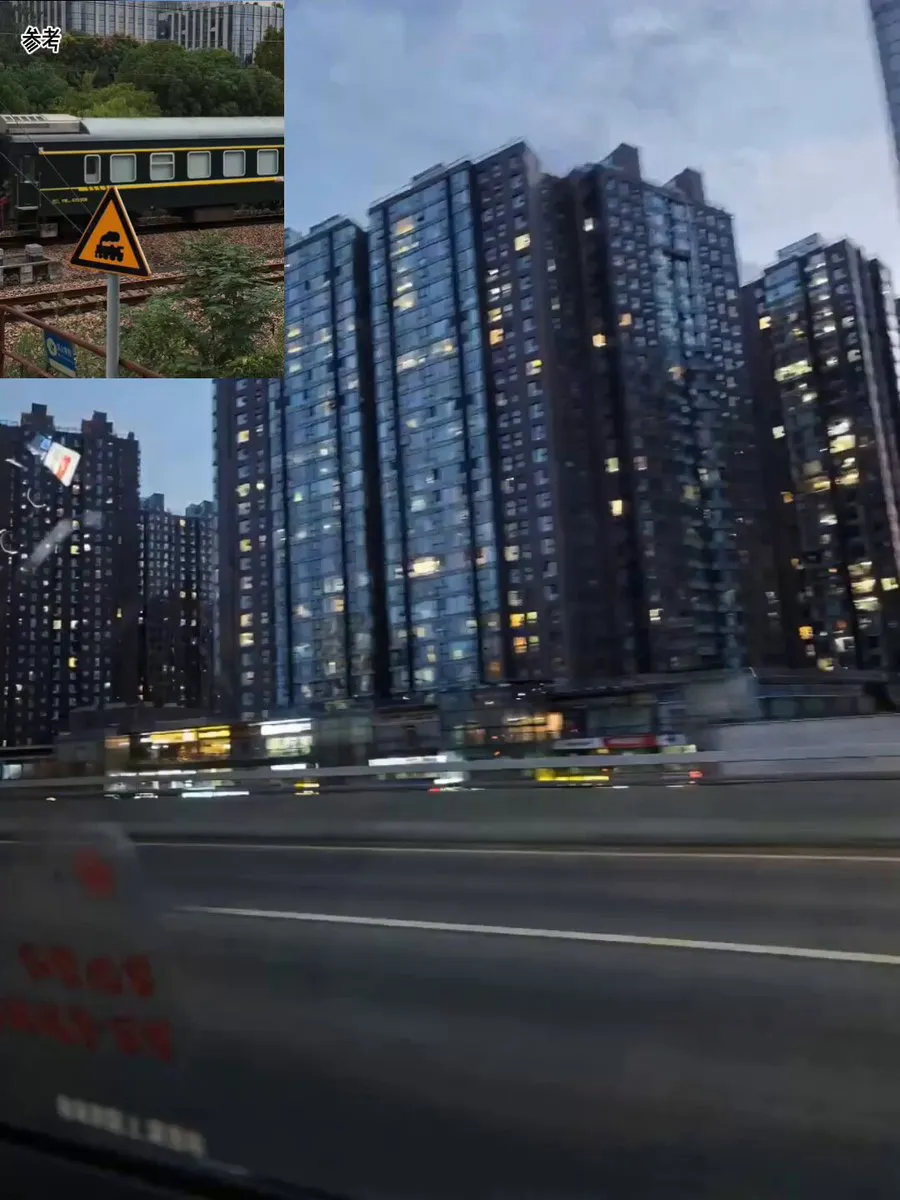
Let’s start with the first case. The prompt was just one sentence: “Produce an exquisite, premium Lanzhou hand-pulled noodle advertisement, pay attention to shot composition.”
I didn’t write anything about kneading dough, pulling noodles, or pouring broth. Didn’t mention slow motion for the noodles. The model arranged everything on its own.
It even chose slow motion (high-speed cinematography) for the noodle-pulling process.
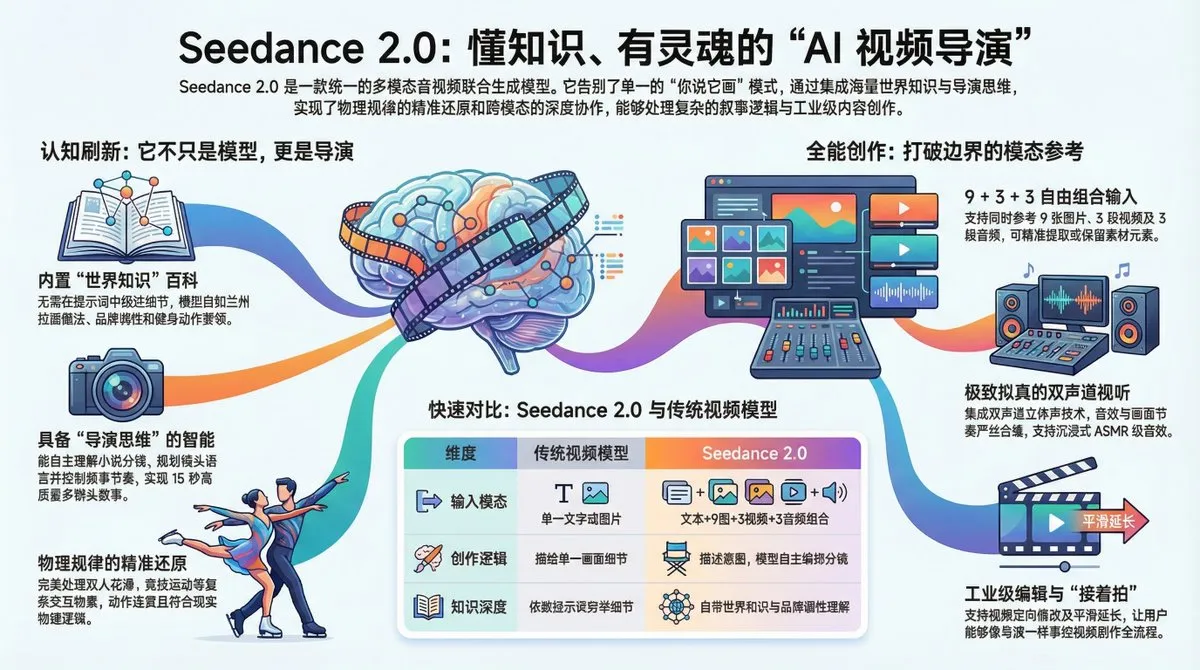
From this case, we can see that Seedance 2.0 is not your typical “you say it, it draws it” video model.
Simply put, this is the ChatGPT moment for video.
It’s not just a video model with better quality and motion - it has knowledge, intelligence, and directorial thinking.
- Universal Reference: Supports uploading any modality for reference - beyond text, including 9 images, 3 videos, and 3 audio clips. You can have it fully preserve these materials in certain parts, or just extract specific elements.
- Intelligence: Has directorial thinking - it arranges shots, chooses camera language, and controls narrative pacing on its own. Give it a novel excerpt, and it knows how to storyboard it.
- Knowledge: Built-in world knowledge - knows how Lanzhou noodles are made, what MUJI’s brand identity is, and that lat pulldowns target the latissimus dorsi. No need to write an encyclopedia in your prompt.
Here’s what we’ll cover:
- F&B/E-commerce: One sentence generates a noodle ad, model arranges the entire process with slow-mo
- Brand Marketing: One sentence produces a brand film without any brand materials
- Education: One sentence creates fitness tutorials with accurate movements and error correction
- Product/Design: UI mockups become Microsoft & Apple-style 3D product videos, switchable styles
- Fashion E-commerce: Portrait + clothing photos generate styled try-on videos with camera movement
- Real Estate: Floor plans become immersive showroom walkthrough videos
- Content Creators: One photo + one audio clip = video podcast
- Music Videos: Just a song, model creates its own story and shoots an MV
- Film/Short Drama: Real-life motion capture transferred to any VFX scene
- Film/Short Drama: Paste novel text directly, generate animation with continuation capability
1. For Marketers and Brand Teams
This section is mainly for friends without AI experience. No more struggling with prompts - Seedance 2.0 can handle a complete marketing or educational video with just one sentence.
I originally wanted to test how much world knowledge it has. The result was surprisingly good.
Prompt: Generate a promotional film about the MUJI brand
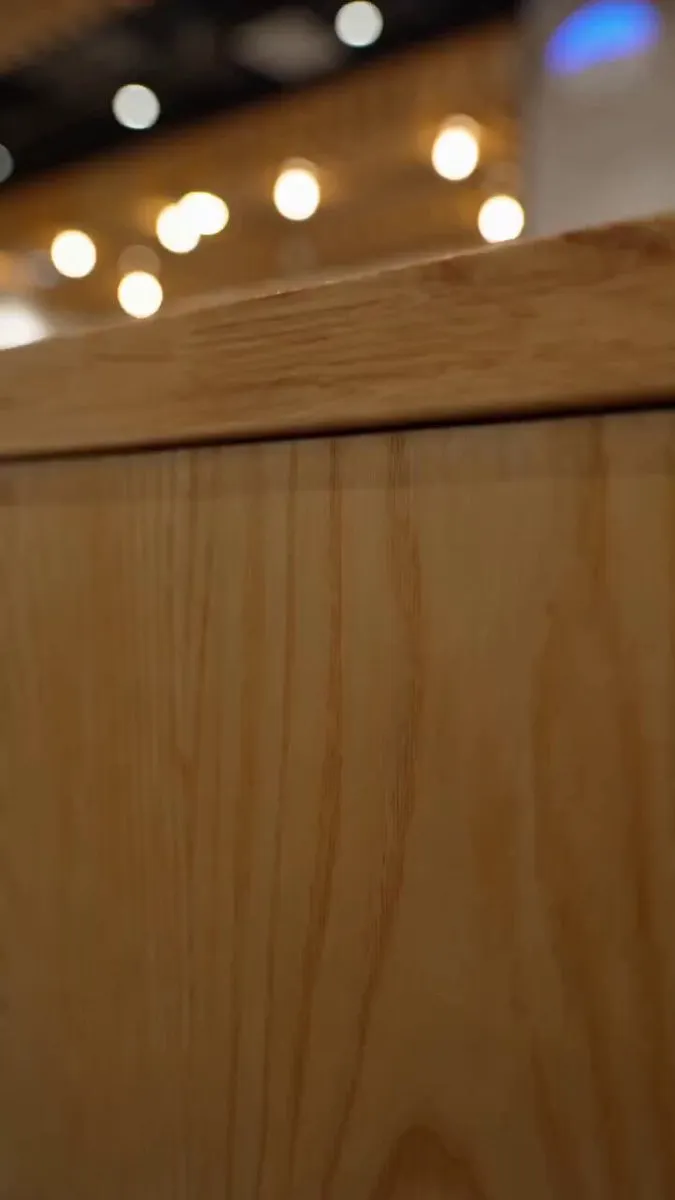
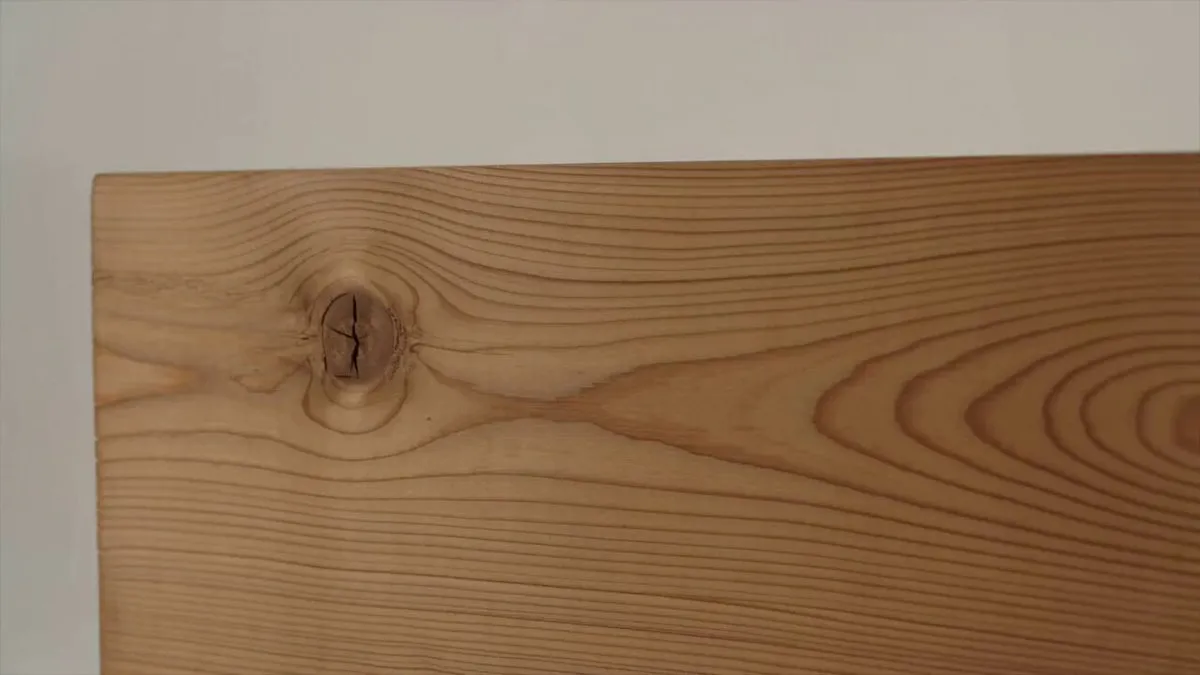
It chose minimalist visuals on its own (wood texture close-ups, chair designs, home spaces).
Wrote its own brand philosophy voiceover: “Before the brand, there’s the object; before design, there’s the need. Remove the excess, return to essence.” Paired with minimalist piano.
The model completely understood MUJI’s brand DNA. Previous video models had no idea about these things.
The video quality is also very high - look at the wood grain detail at the beginning, it doesn’t look like 720P at all.
Next time your client or boss asks for a demo, no more fear. Change a few words, a few minutes per video.
Then I wanted to test its professional knowledge. I happened to be having dinner with my trainer, so I tried a fitness topic.
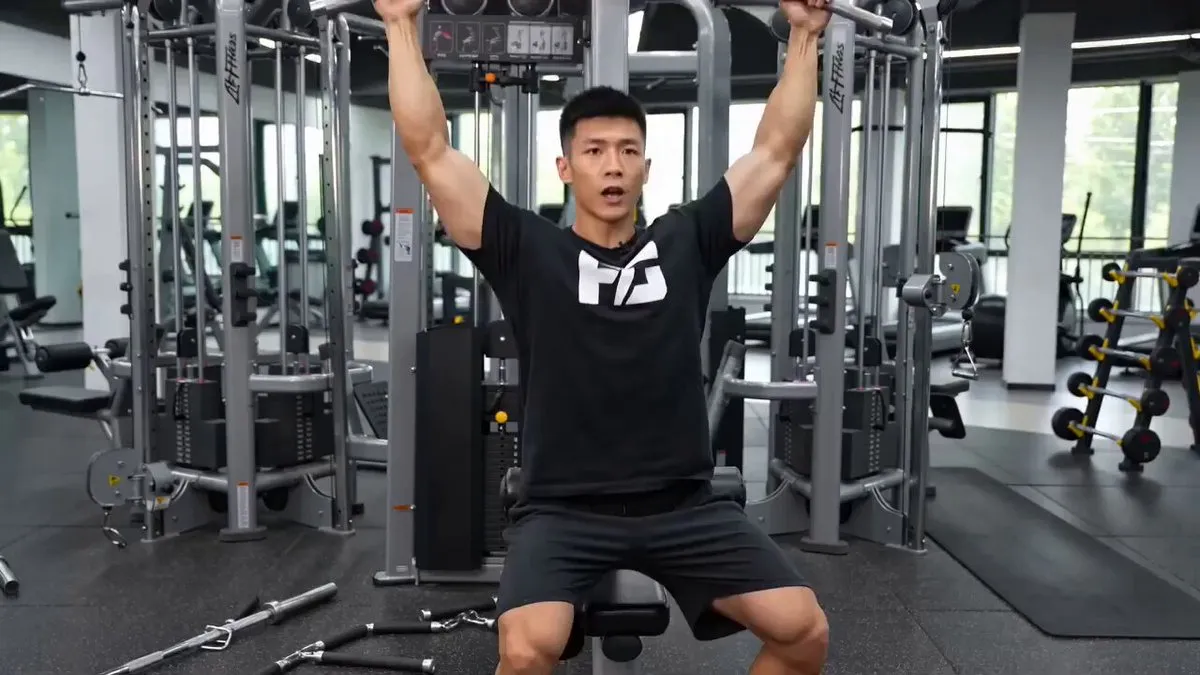
Prompt: Generate an instructional video for lat pulldown exercise
It accurately identified the target muscle group (latissimus dorsi), demonstrated correct form, proactively warned about common mistakes (“don’t use body momentum to cheat”), and arranged its own multi-angle shot transitions - front view, back close-up, front view.
I asked my trainer, and he said the demonstration was quite solid.
As long as it has knowledge in a domain, one sentence can batch-produce educational content.
Including the first case, my three videos combined didn’t use 30 characters of prompts.
So the first key to writing prompts for Seedance 2.0: when common knowledge exists, “write intent, not details.”
For storyboarding, just write “pay attention to shot composition” - unless you’re a film industry professional, letting it handle this is definitely better than doing it yourself.
2. For PMs and Designers: Mockups to Promo Videos Instantly
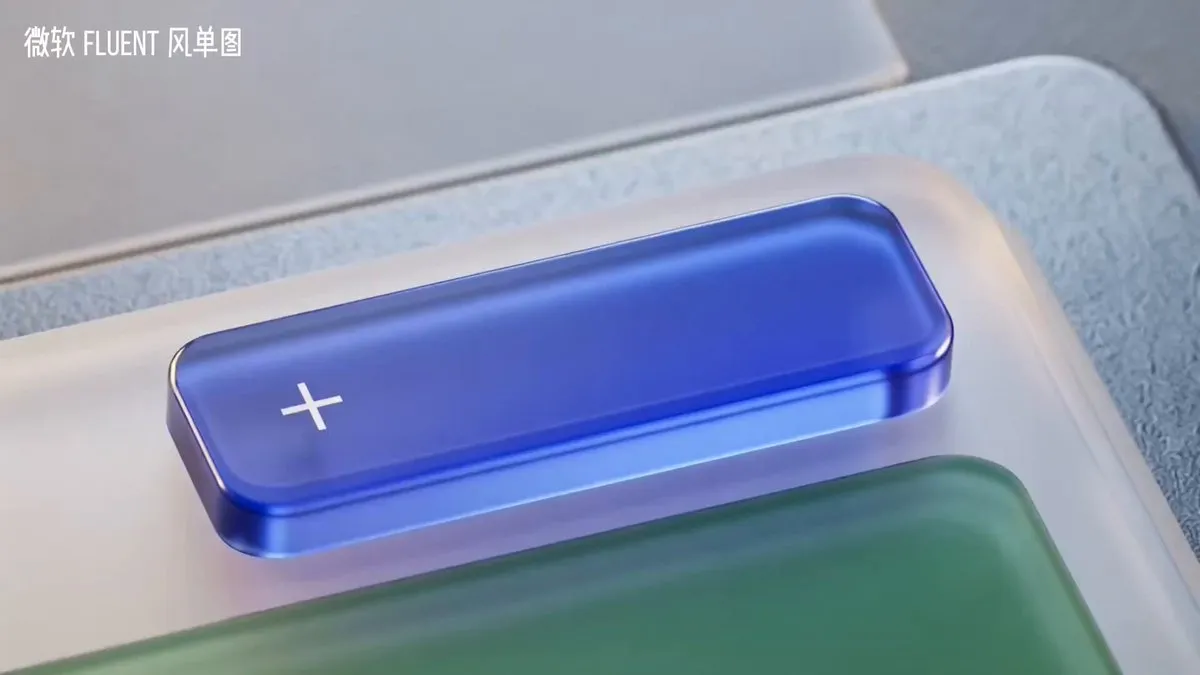
A few days ago, I posted a Microsoft “Fluent” style product UI promo video that went viral on X, Douyin, and Xiaohongshu.
Many friends asked how it was made. This used to require massive manpower and computing power for 3D rendering - now it’s one click.
This workflow turns your casual software screenshots into premium 3D-rendered Microsoft or Apple-style product promo videos.
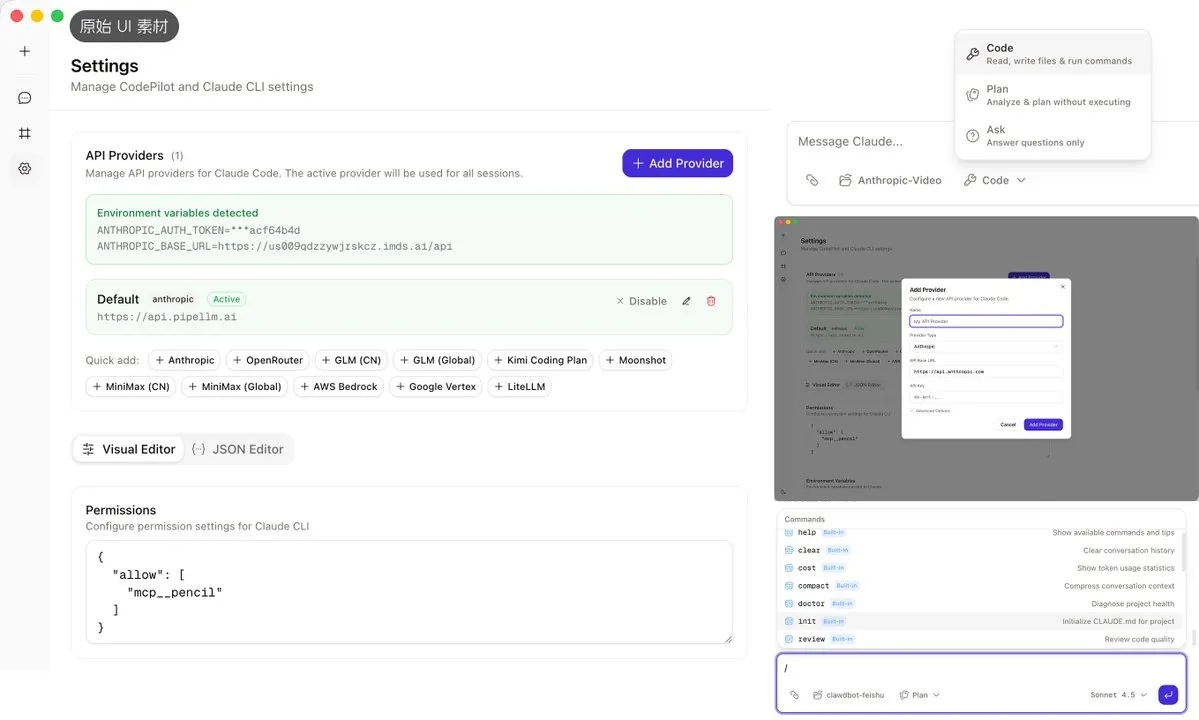
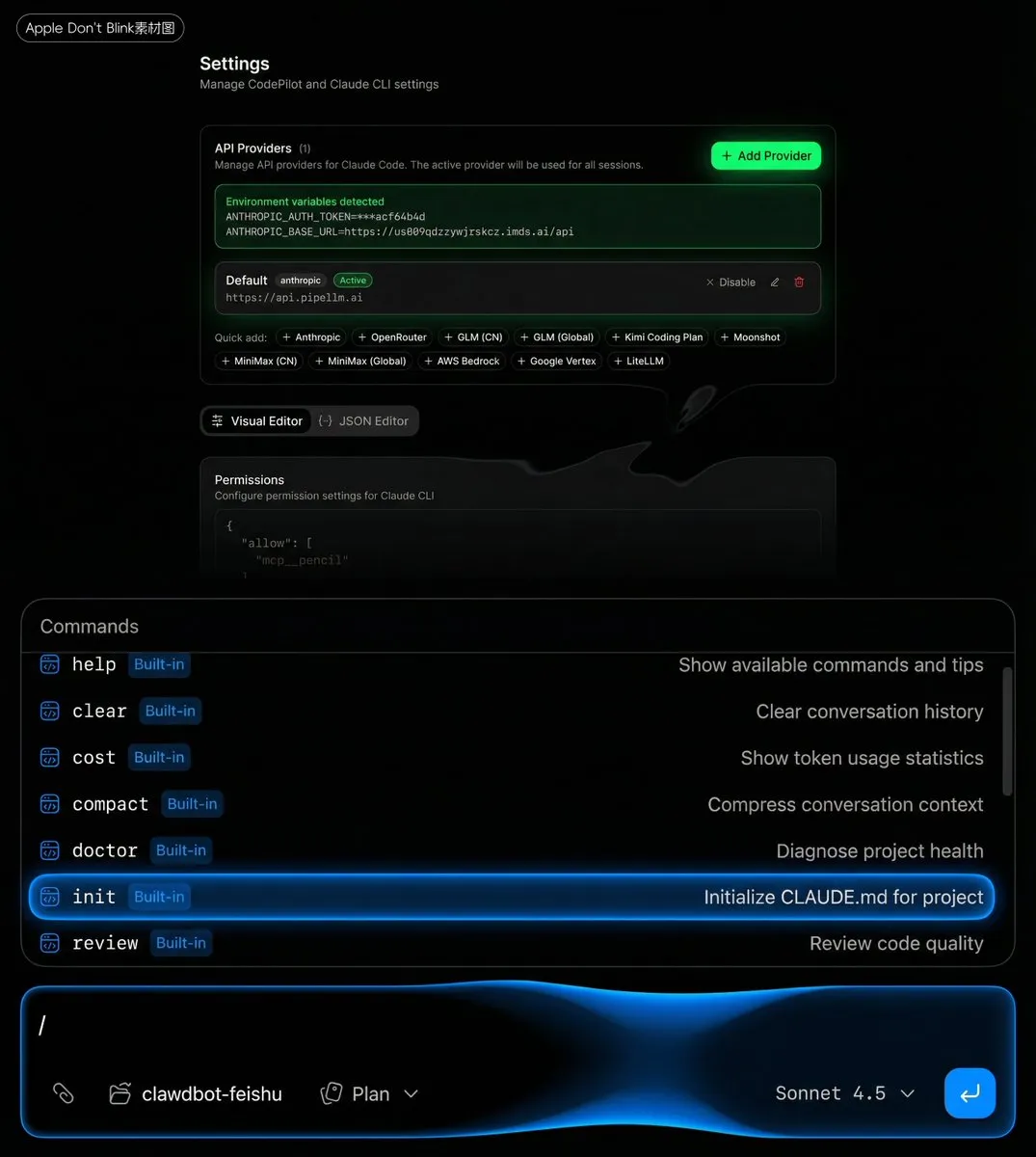
Look at my original image materials - they’re literally the most basic screenshots.
First, send the UI screenshots and prompt to Nano Banana Pro or Seedream image model for processing.
Microsoft Fluent style image generation prompt:
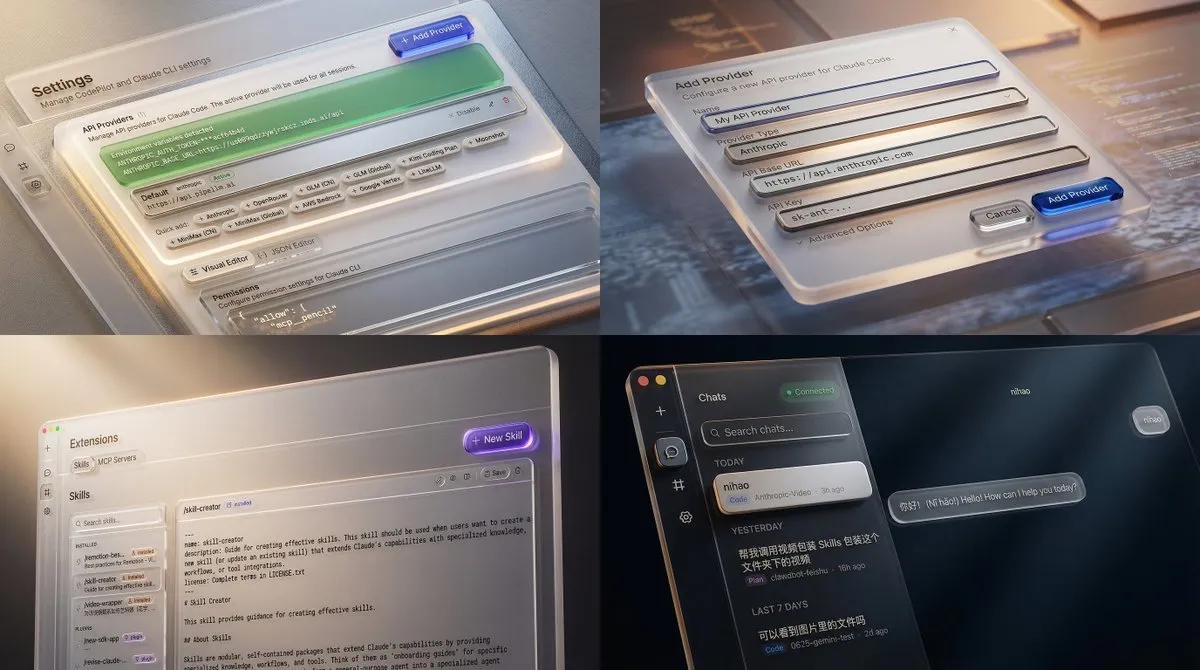
Add Microsoft UI promo-style packaging to this UI mockup without losing original content. The specific requirement is a “digital material feel” - they no longer see screens as paper (like Material Design) but as a three-dimensional space with depth and lighting. Light: Light isn’t just illumination, it’s guidance. Videos use point sources and rim light to outline objects and create focal points. Material: The most distinctive feature. Heavy use of acrylic material - frosted glass-like translucent effects, plus ceramic, metal, and silicone physical material textures. Depth: Emphasis on the Z-axis concept. UI elements aren’t flat but layered, with shadows and parallax scrolling showing hierarchy.
The magic transformation step - our UI screenshots instantly become premium:
Then send single or multiple images to Seedance 2.0 for processing.
Single image Seedance 2.0 Microsoft Fluent video prompt:
Based on @image1, generate a Microsoft Fluent UI promo-style acrylic and glass texture motion design video, using smooth motion design and multi-angle camera movements to showcase UI details, ending with a seamless transition to the product name “Codepilot”
This works incredibly well for product launches, App Store preview videos - just toss in mockup screenshots and get a video in minutes. No need to wait for motion design scheduling. Even non-designers can do it.
And this style doesn’t need video references at all - text descriptions are enough.
“Fluent Design acrylic glass texture” or “Apple Don’t Blink style quick-flash” - it understands both.
3. For Fashion E-commerce and Real Estate: Mix Materials into Commercial Videos
Seedance 2.0 has powerful reference and consistency capabilities, making it extremely useful for e-commerce and advertising.
First, the classic product consistency test that’s been common in image model testing over the past six months.
Note: Real person reference is currently restricted - must be verified or authorized by the person.
Prompt:
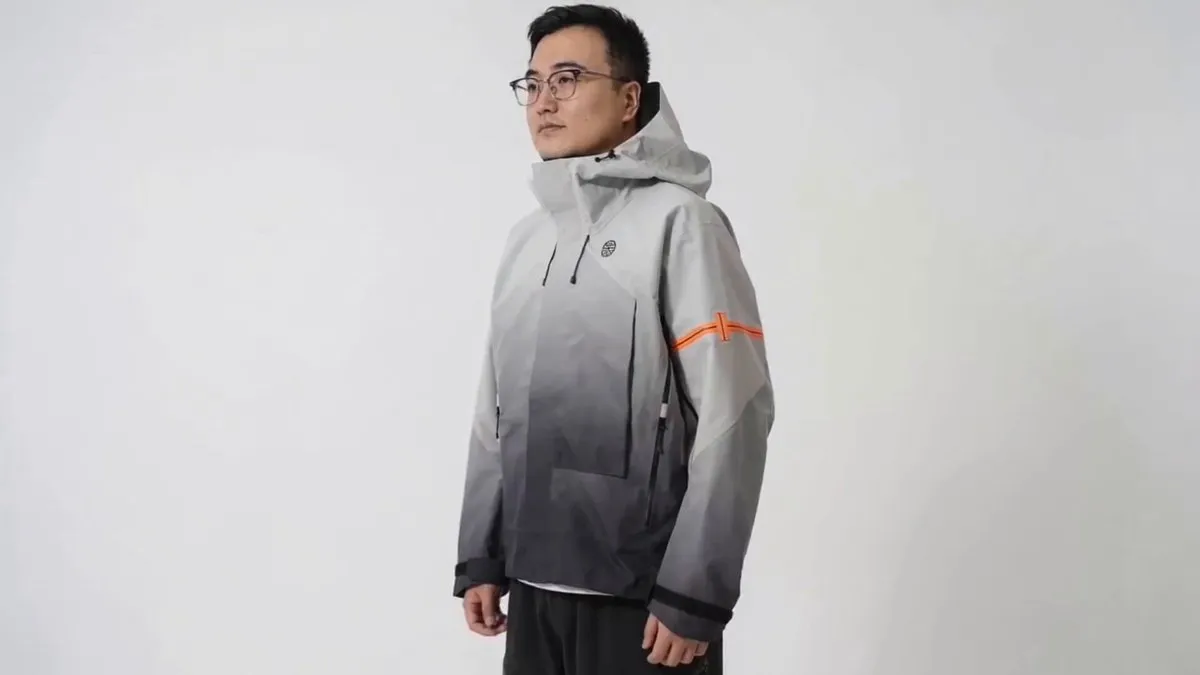
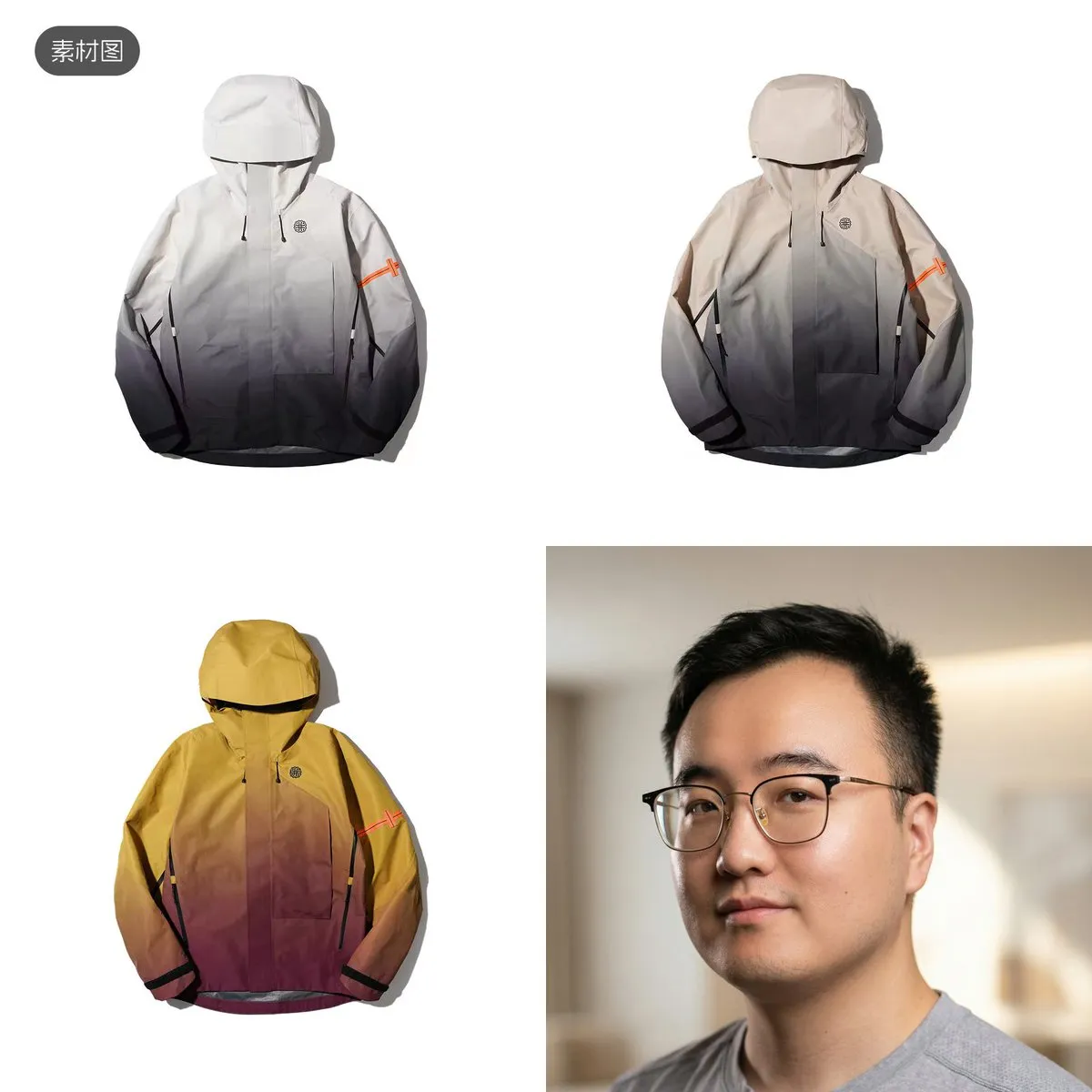
Have the male in @image4 try on the three outfits from @image1 @image2 @image3, showing one at a time, with smooth camera movements and transitions at different shot scales, plus music matching the clothing design style
It directly showcased three outfits sequentially, auto-arranged medium full-body shots, chest logo close-ups, zipper close-ups, and front-view displays, with energetic electronic music perfectly synced to cuts.
I only gave it one AI-retouched face photo and three pieces of clothing, asking for a try-on preview to help me decide which to buy.
The garment details, material textures, and decorations (sleeve area) were reproduced quite accurately by Seedance 2.0.
The only issue was the logo area, partly due to generation resolution and partly because my source image was blurry.
Next is a real estate and interior design case. Designers used to spend forever rendering a complete walkthrough after creating designs.
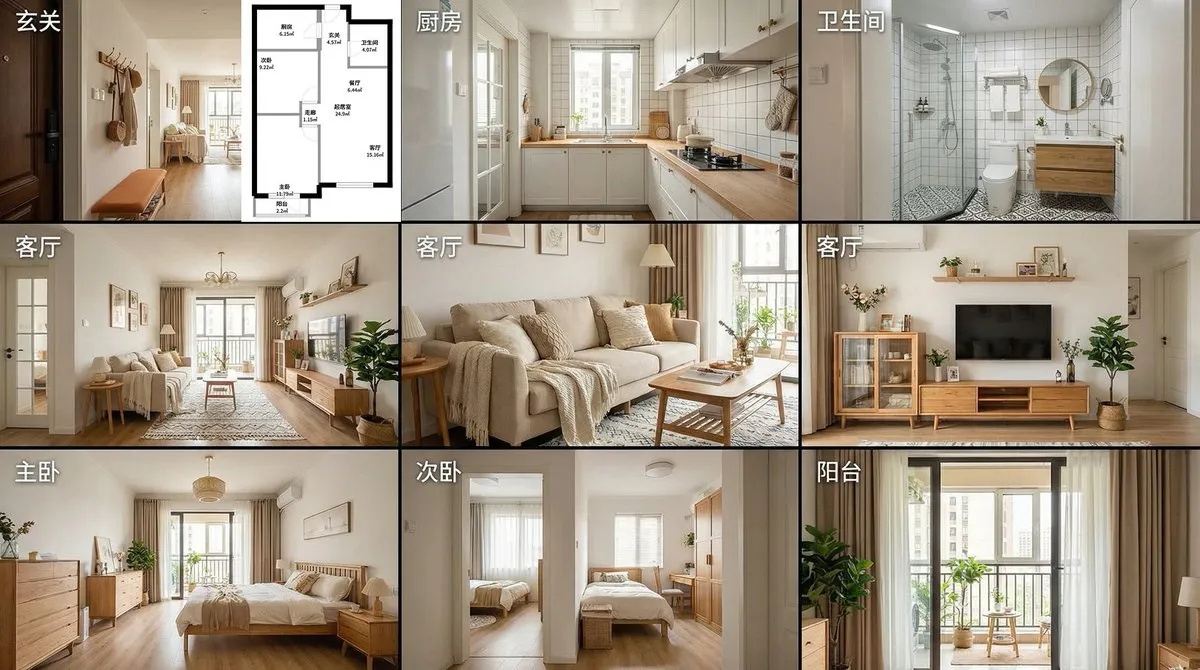
I tried generating an immersive showroom walkthrough video using just one floor plan.
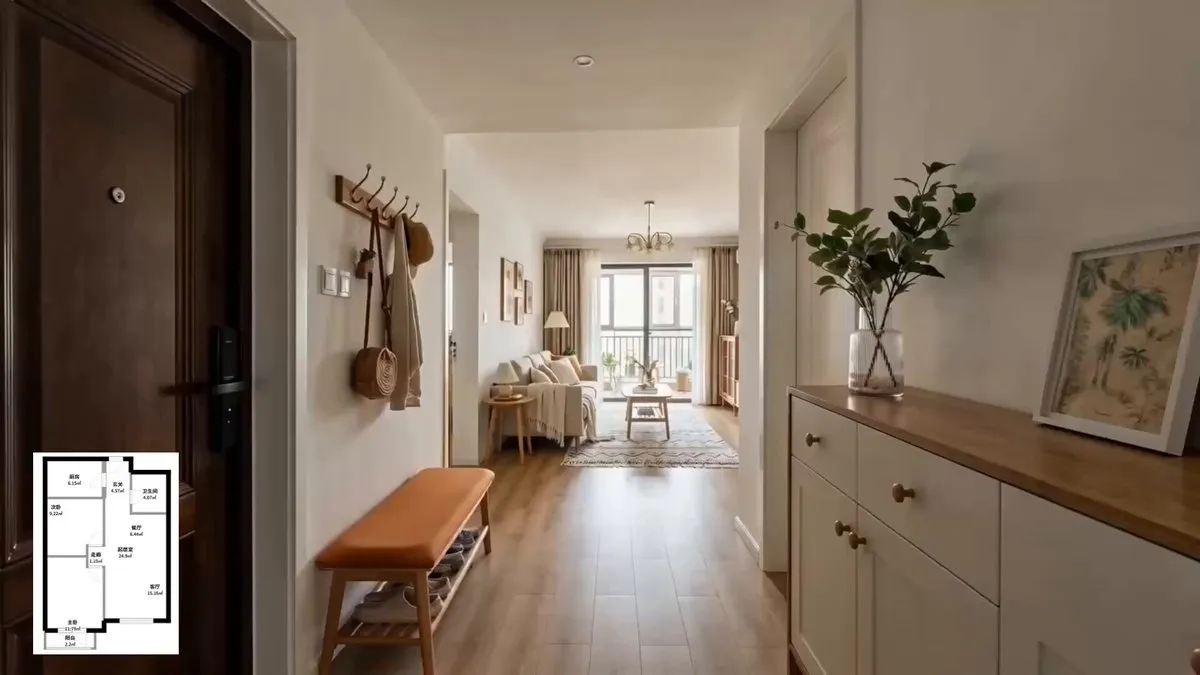
The entire video flows from the entryway through the U-shaped kitchen, separated wet/dry bathroom, living/dining room, master bedroom, second bedroom, to the balcony - a normal viewing sequence.
Quick transitions + multi-angle switches, with a warm piano BGM. Material textures and natural lighting changes are all reflected.
The spatial layout and relative positions of all areas match the floor plan.
Only the bathroom should’ve been a left turn but went right - this is already incredibly strong. A couple more generations would surely get it right.
Here’s how to generate this kind of video. First, take the floor plan to generate a 9-grid storyboard:
After generating the 9-grid storyboard, send both the floor plan and storyboard to Seedance 2.0.
Seedance 2.0’s reference is truly intelligent - the original storyboard images and text on them don’t appear in the generated video. That’s amazing.
Floor plan to immersive walkthrough video - clients can “walk through” the showroom without visiting in person. Useful for both personal renovations and client presentations.
4. For Content Creators: One Person = One Team
Many friends have this frustration - they love someone’s Vlog editing style but only have photos, no video, and don’t know editing software.
Now you can use a reference Vlog + your own photos to generate same-style daily Vlogs in one click.
I randomly picked some photos from my camera roll, uploaded them with a reference video, and used this prompt:
Prompt: Reference @video1’s camera movements, cut rhythm, color style, music and beat sync, text and effects, turn the remaining images into a daily Vlog…
It perfectly learned the reference Vlog’s editing style, turning photos into a complete urban life montage-edited Vlog.
Each shot got 3D text pop-up effects like DAWN/RIDE/CITY, hard cuts synced to guitar BGM rhythm.
Then there’s another very common video category - video podcasts or talking-head videos.
Since Seedance 2.0 can reference audio, we can achieve cross-shot audio consistency.
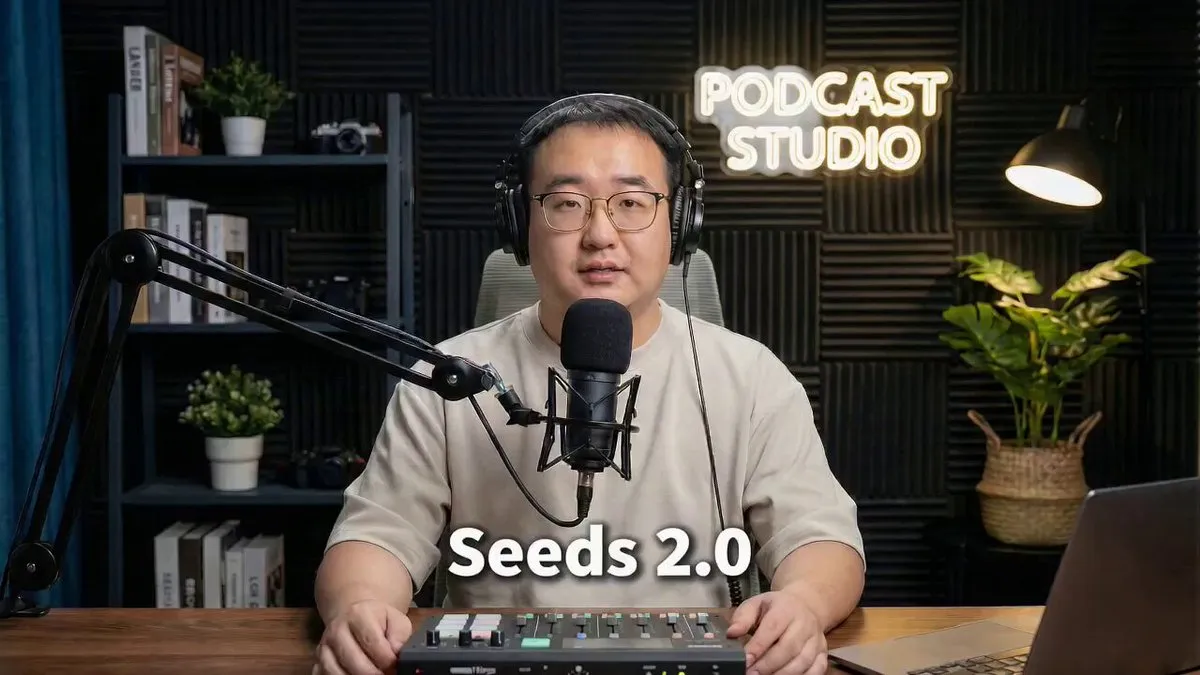
Prompt: Use @image1’s person and environment, use @audio1 as the person’s voice content, generate a video podcast, add subtitles, and give @audio1 some emotional expression to make it more realistic and passionate
I only provided Seedance 2.0 with one photo and an audio clip generated by a voice cloning product.
It delivered a very realistic and emotional video podcast clip.
What’s even more amazing is that my original generated audio was emotionally flat, and when I asked it to be more excited in the prompt, it actually did it.
This shows it can actually modify and adjust source materials.
Image ensures portrait consistency, audio ensures voice consistency. We can make these videos as long as we want, and automate with Agents.
For content creators now - no on-camera appearance needed, no editing needed. One audio clip + one portrait = video podcast with camera changes. Daily uploads are no longer physical labor.
There’s also a fun one - give it pure audio and have it generate story videos matching the atmosphere.
Prompt: Generate a bittersweet love movie scene matching @audio1’s atmosphere, with plot, keeping @audio1 as background music, with scene transitions synced to music rhythm
From just a piece of music, it created a complete train station farewell story.
Including large aperture shallow depth of field, close-ups, window frame transitions, and other cinematic techniques, with visuals synced to the music beat.
Quick tip: if standalone audio upload isn’t allowed, you can upload a transparent or pure white PNG image.
5. For Film and Animation: Production Pipeline Revolution
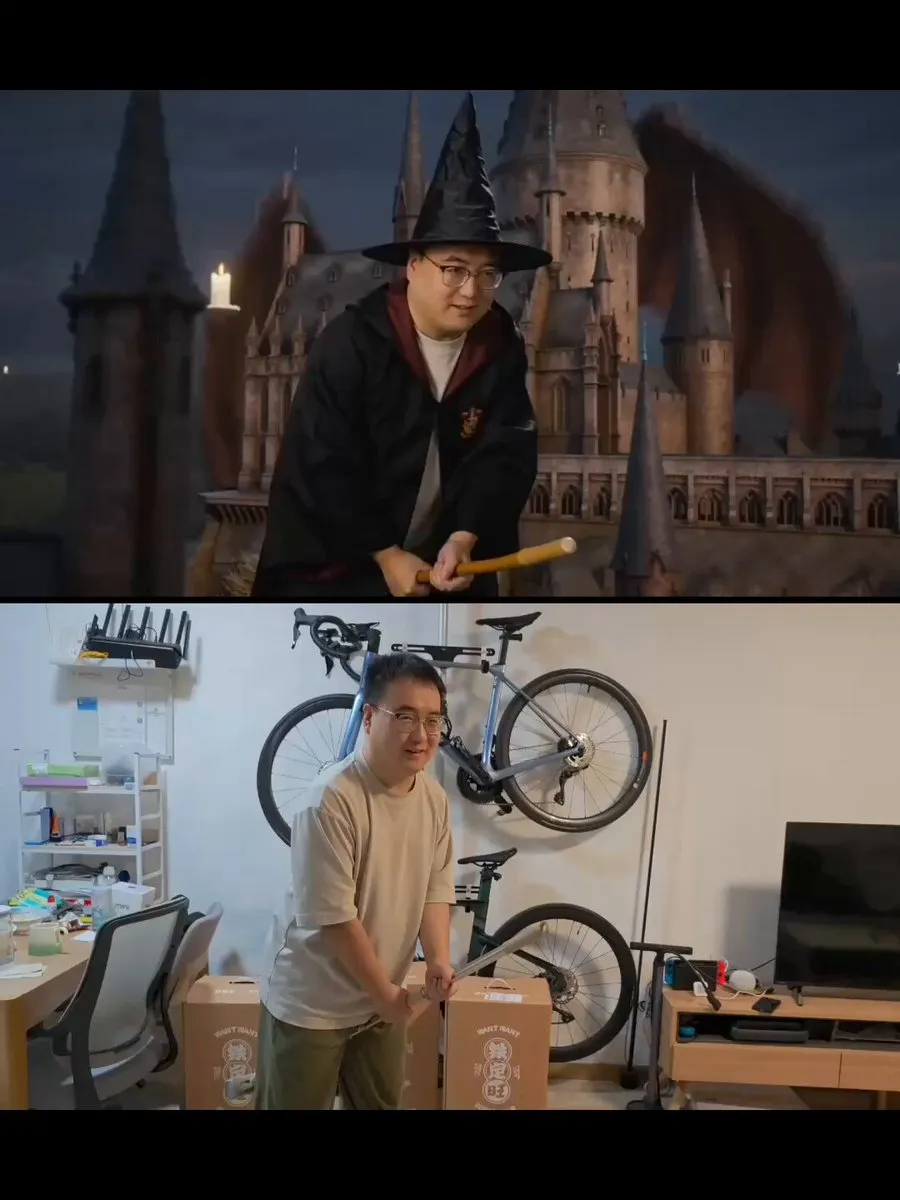
When I first got access to Seedance 2.0, I thought - if it can reference video, can it reference motion?
So I recorded a few videos to test, and it actually worked!
I grabbed an unused mop from home and did two actions - first using the mop as a magic broomstick, then as a spear.
It successfully maintained high consistency in both character and motion across both scenes and videos.
Automatically added dragons, castle explosions, monsters and other effects, with fantasy orchestral music and sound effects.
The magic broomstick one is worth noting - initially Seedance 2.0 couldn’t maintain my movements at all.
I realized it was because there are very few scenes of characters moving within a single focal plane during flight.
My setup had the character static relative to the camera, with the world moving.
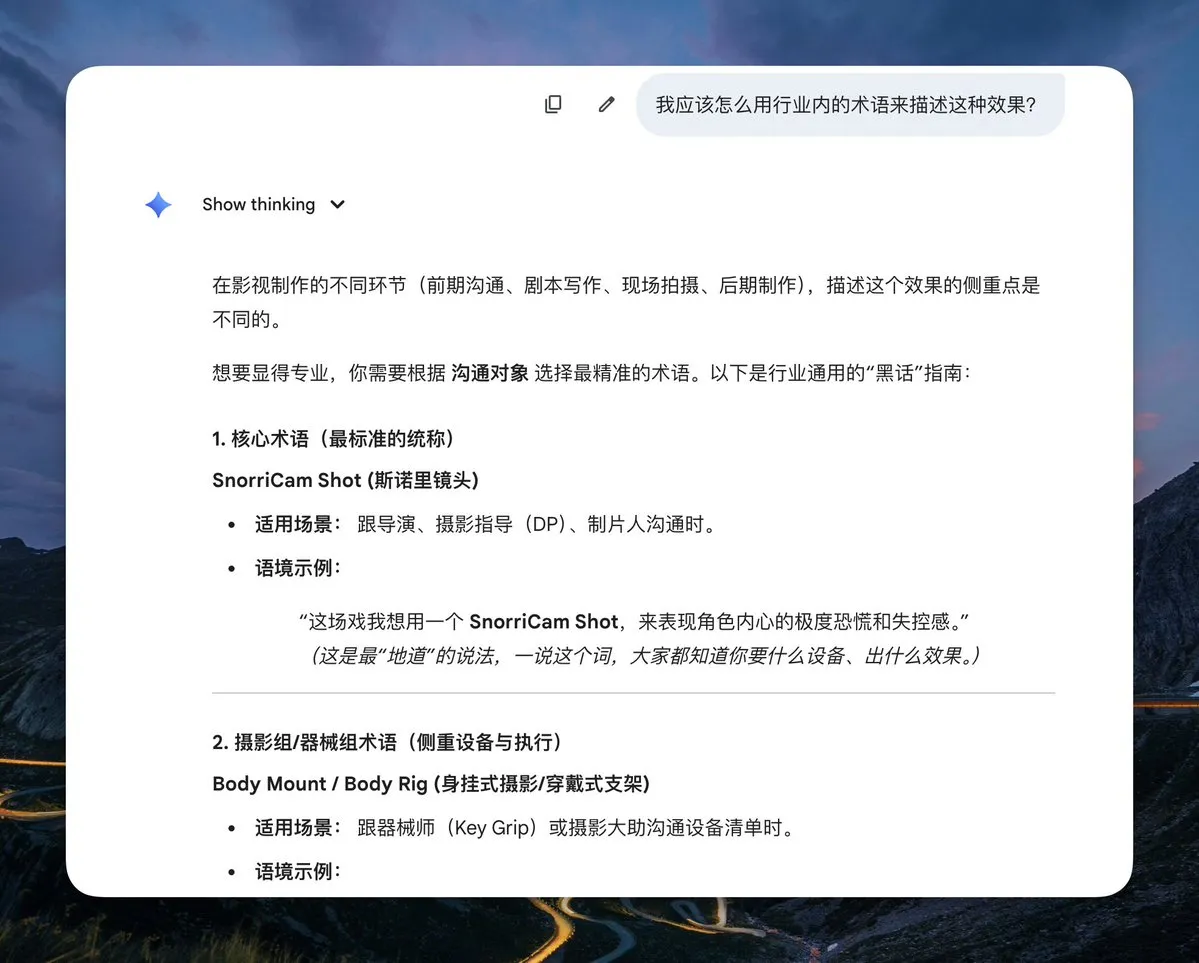
So I discussed with AI what this is called in the film industry, and it gave me two keywords. After adding them, it worked.
Prompt 1: A wizard very similar in face to @video1’s character riding a magic broomstick above a magic castle dodging a dragon’s pursuit, wizard’s actions and camera movement must match @video1 exactly, camera must track the wizard, CAMERA MOUNTED ON JOHN, LOCKED-ON SHOT, FIXED-TO-ACTOR
Prompt 2: A high-tech human warrior very similar in face to @video1’s character fighting alien creatures with a high-tech spear, warrior’s actions and camera movement matching @video1
Then, due to Seedance’s powerful prompt understanding and following ability, you can directly paste novel text and it precisely generates corresponding video.
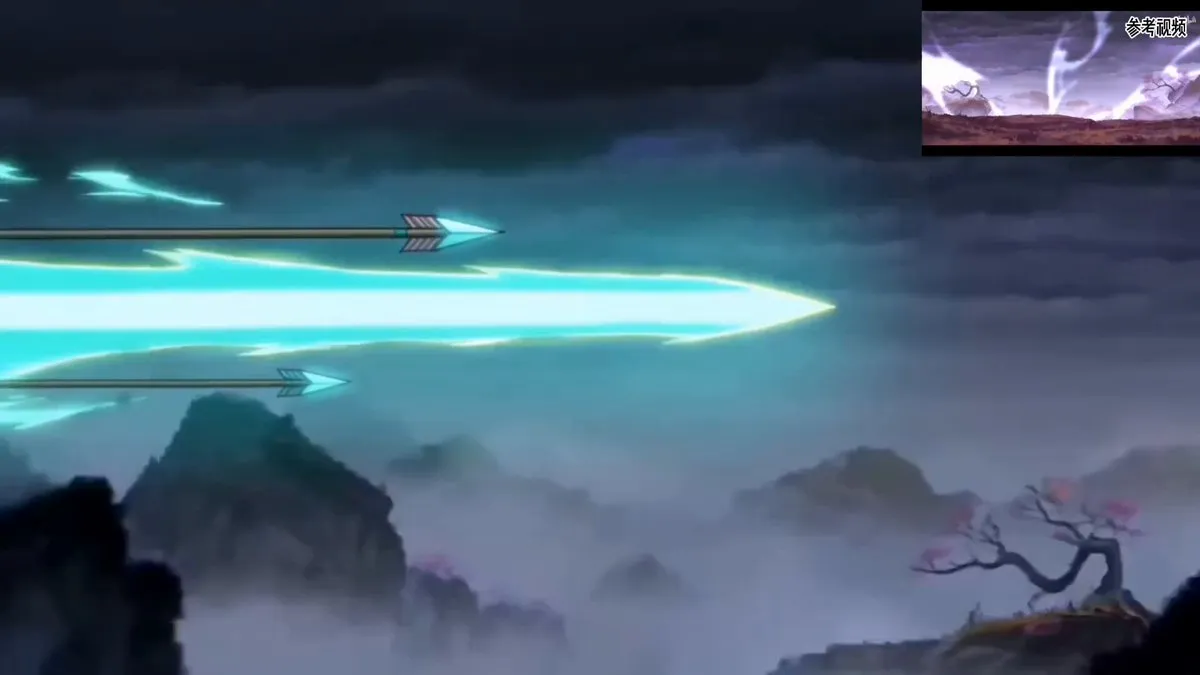
I added a few seconds of “Fog Hill of Five Elements” animation as style reference to make it more Chinese-style and unique.
The story content and visuals perfectly followed the novel text.
The fighting style, visual style, and character strokes excellently referenced the Fog Hill style - especially the ink wash feel of the surrounding environment.
You might ask - it’s only 15 seconds at a time, how do you maintain style, character, and voice consistency? There’s a way.
Seedance 2.0 supports video extension - theoretically you can keep extending.
Just tell it: Extend @video1 by 15s, details: XXXX
Just keep feeding it subsequent novel text.
This is powerful - it directly consumes novel text, IP adaptation concept videos come out in minutes, no storyboard scripts needed first.
Theoretically, short dramas or animated series could sync with novel text updates.
6. Too Much to Remember?
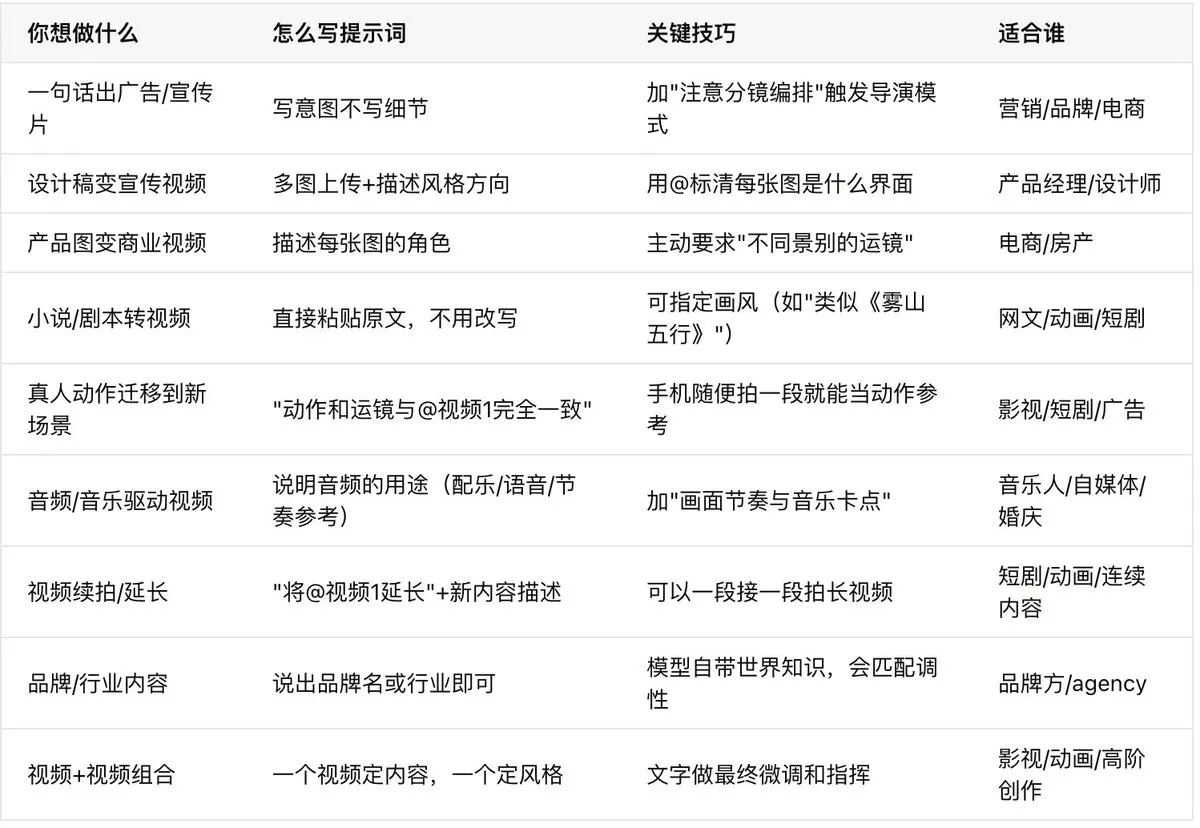
Here’s a reference table with all the key prompt techniques from every case:
7. From “Manual Play” to “Automated Runs”: Agents Are the Endgame
All the cases above were done manually on the web interface.
But honestly, what truly excites me about this model isn’t “what I can do with it” but “what AI can do with it.”
A video model with world knowledge, narrative understanding, and raw text consumption.
What happens when it’s called by API and orchestrated by Agents?
Looking back at our workflows, you’ll realize many of my prompts are essentially industry Agent blueprints.
Product Promo Video Agent:
Product launch → Agent reads product updates → auto-screenshots → calls image model and Seedance 2.0 to generate promo videos.
Automated Talking-Head Video Agent:
Agent auto-collects trending info → compiles into script → converts to voice-over audio → generates scene images → calls Seedance 2.0 for multi-segment video → Agent stitches into long video.
E-commerce, interior design, even novel-to-animated-series can all become Agents, dramatically improving content production capacity and quality.
Jimeng’s web interface works well for individual creators. But if you’re an entrepreneur building video automation, a developer adding video capabilities to your product, or an MCN/e-commerce team needing batch content, you need the API.
Seedance 2.0’s API will launch on Volcengine after Chinese New Year, supporting full multimodal input for direct workflow and Agent pipeline integration. Everything shown here can be called programmatically.
Try it at the Volcengine Experience Center: exp.volcengine.com/ark/vision
That’s all for today. If this was helpful, feel free to give it a like or share with friends who might need it. Thanks everyone.
Source: Reposted from Guizang (guizang.ai) (@op7418) on X. Original post: https://x.com/op7418/status/2022721414462374031
If you found this helpful, consider buying me a coffee to support more content like this.
Buy me a coffee