API 调试
早上好,朋友们!
今天分享postman 调试api ,避免你用AI的代码测试了半天,你一直怀疑是代码有问题,结果发现是平台或者某些参数错误。通过post测试就能减少这类坑点。
打开https://www.postman.com/ ,然后登录。
选择send request
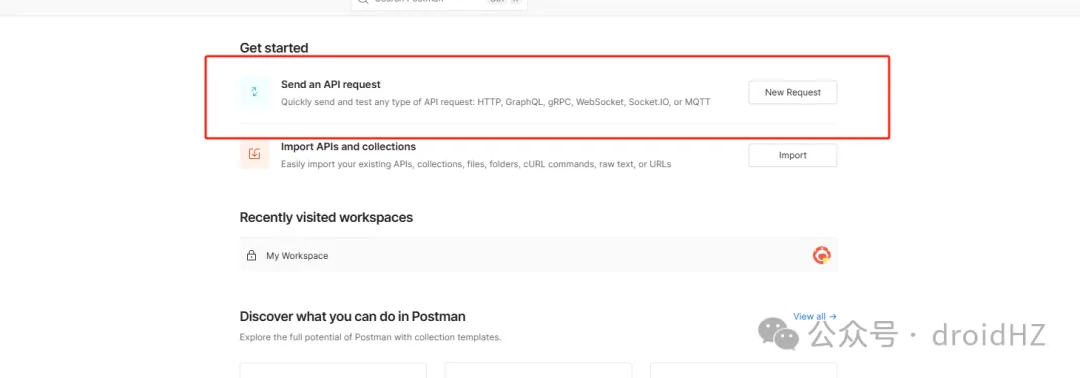
我们以fal调用nano banana 为例。
先在官网找到curl 请求,然后复制调用示例
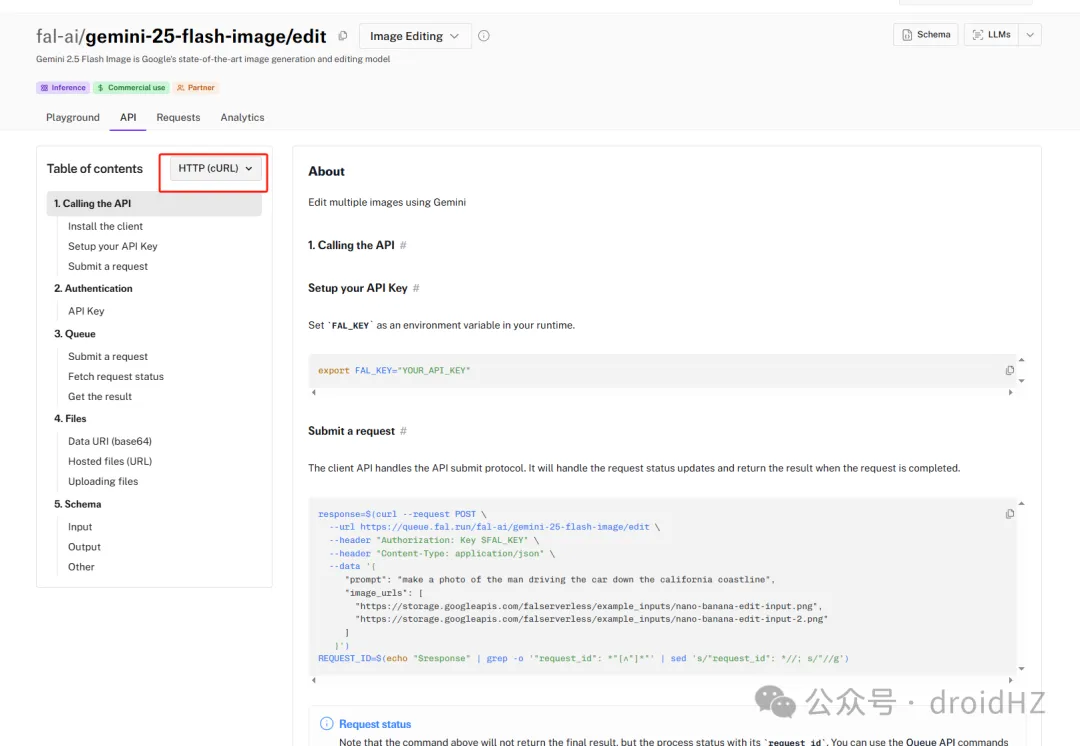
输入复制的curl 请求,到postman网站,找到import ,粘贴对应的curl,比如这里就是
curl --request POST \--url https://queue.fal.run/fal-ai/gemini-25-flash-image/edit \--header "Authorization: Key $FAL_KEY" \--header "Content-Type: application/json" \--data '{"prompt": "make a photo of the man driving the car down the california coastline","image_urls": ["https://storage.googleapis.com/falserverless/example_inputs/nano-banana-edit-input.png","https://storage.googleapis.com/falserverless/example_inputs/nano-banana-edit-input-2.png"]}
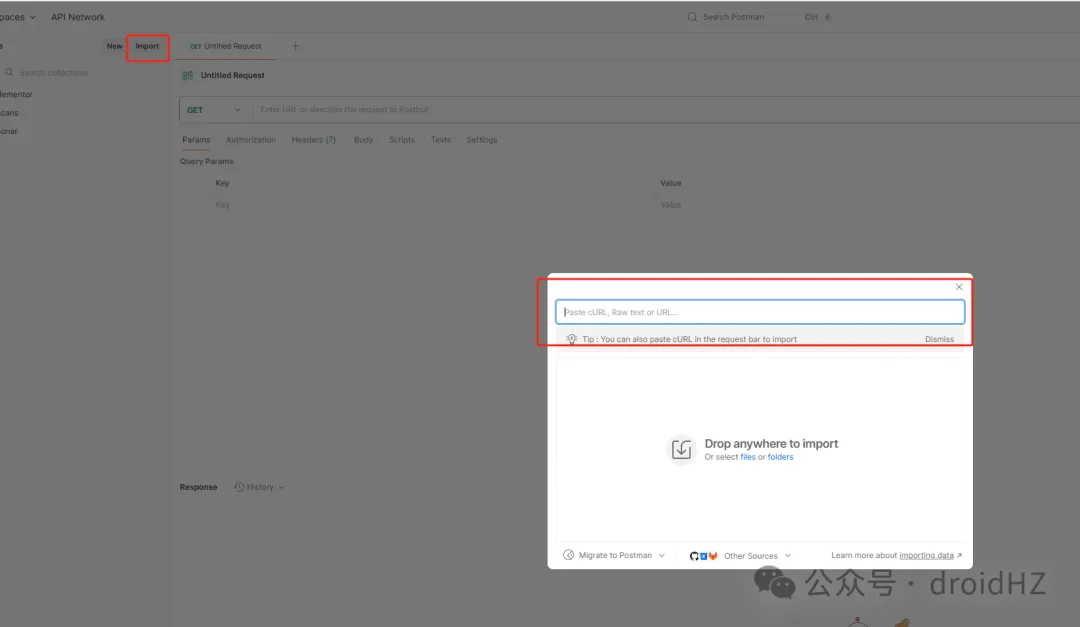
可以选择保存或者不保存,我选择保存到test的合集
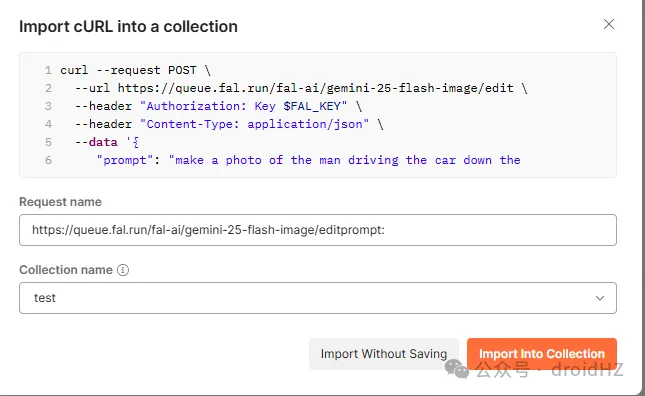
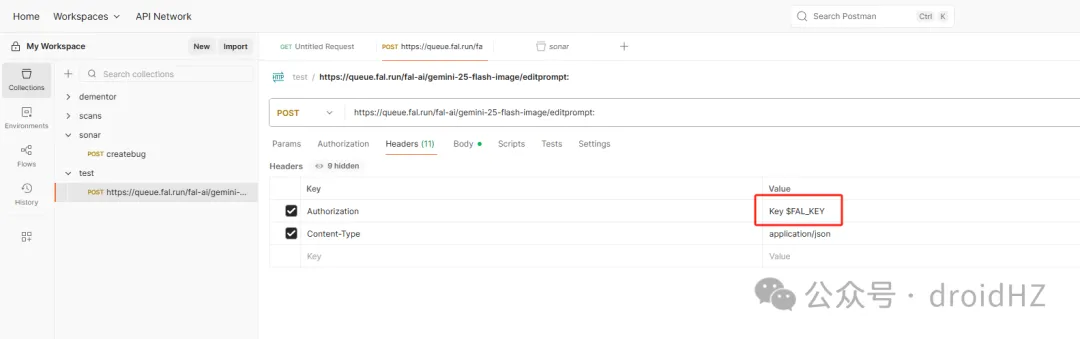
现在就导入成功了,看到这里需要有个$FAL_KEY,我们把这里替换为对应的key
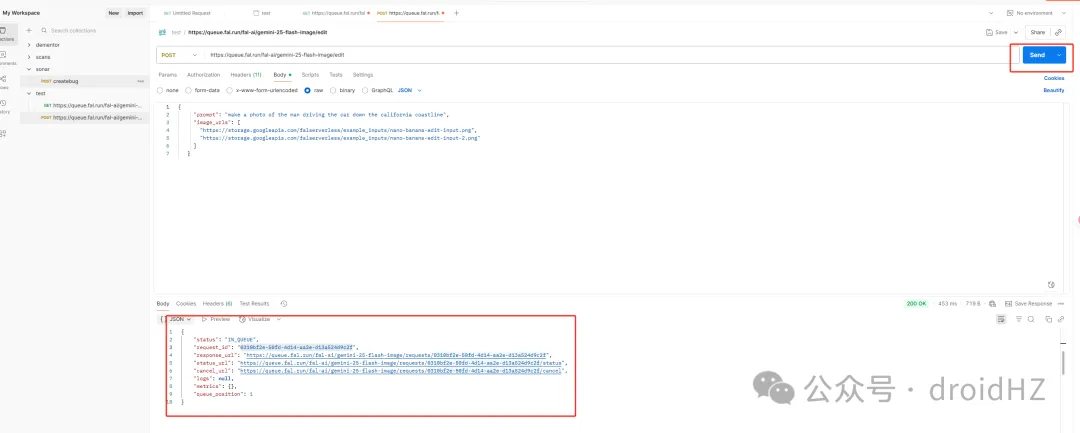
key添加完成后,点击send 就可以看到对应的请求了,不过这里是异步的,只返回的request_id
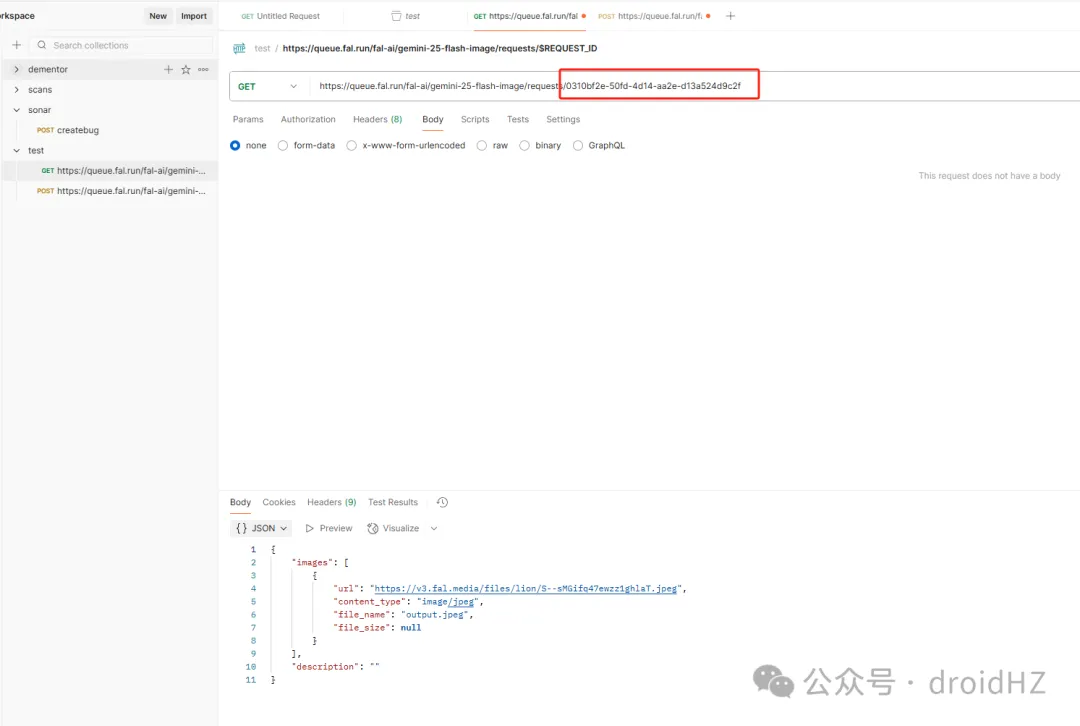
,按照同样的方式,我再调用api里面另外一个接口请求就能获取结果了
原文来自微信公众号,原始链接:原文